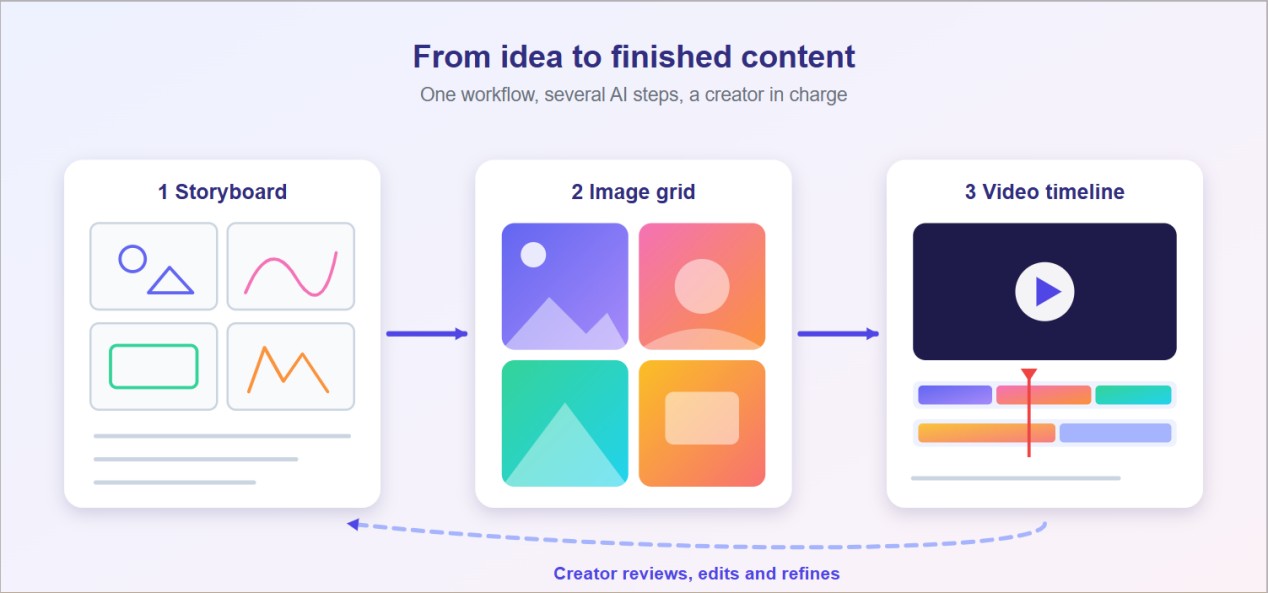
A year ago, most creators were talking about which AI tool they should try. Today, the focus has shifted to how different AI tools can work together. For example, a short video might start with a research idea, turn into a script, include AI-generated images, and finally become a presentation for a sponsor. Each step may involve a different tool.
This change is important because creating content is no longer just about making images or videos faster. It is also about connecting ideas, creative assets, and finished content in one smooth process. This article explores how creators build AI workflows using different tools, why one AI model cannot handle every task, where these tools save the most time, and what to consider when choosing the right combination. Platforms such as Kooko AI are one example of the category, and the evaluation points here apply to any of them.
The Growing Role of AI in Digital Creativity
Generative AI is positively affecting everyday creative tasks. Adobe’s 2026 Creators’ Toolkit Report, a Harris Poll survey of more than 16,000 creators across eight countries in May 2026, found that 87% of creators use creative AI and say it is helping grow their business or audience. The survey was conducted on behalf of a software company. It defines creators as people who regularly publish content and earn money from it. This means the results focus on professional creators rather than people who create content just as a hobby.
Usage does not mean blanket acceptance, though. An Uppbeat survey of 1,792 creative professionals found that only 6.7% consider fully AI-generated content acceptable, while nearly 60% are willing to integrate AI into their workflows. In other words, most creators treat AI as a collaborator in specific stages, not as a replacement for authorship.
That distinction shapes how the tools get used. Common applications include:
- Ideation and planning: brainstorming angles, outlining scripts and mapping content calendars.
- Asset creation: AI image generation for thumbnails, concept art and social graphics, and AI video generation for rough drafts and short clips.
- Packaging: turning finished work into decks, proposals and media kits for brands or clients.
Each of these stages used to demand a different specialist or a different software license. AI has lowered the entry barrier for each one, which is why the more interesting question is how the stages connect.
Why Creators Need More Than One AI Tool
No single model is best at everything. A model tuned for long-form writing may be weak at photorealistic images, and one that produces striking video clips may offer little help with structuring a presentation. Creative work spans text, still images, motion and layout, so a workflow that depends on one tool tends to hit a ceiling at the first task outside its strength.
There are three practical reasons creators end up with several tools:
- Different strengths. Image models differ in style, text rendering and consistency. Video models differ in clip length, motion quality and control. Choosing per task usually beats forcing one model to do it all.
- Different stages. Early ideation rewards speed and volume. Final assets reward control and polish. The same tool rarely serves both well.
- Different outputs. A social clip, a blog header and a sponsor pitch have different formats, aspect ratios and audiences.
The downside is coordination. Every additional tool means another account, another export, another place where the latest version of a brief might be hiding. This is where multi-model platforms and an AI creative workspace approach come in: the idea is to let creators choose the right capability for each job while keeping prompts, drafts and outputs in one place. Whether that trade-off works depends on how well the platform lets you move work between steps, which the next section covers.
Connecting Ideas, Images, Videos, and Presentations
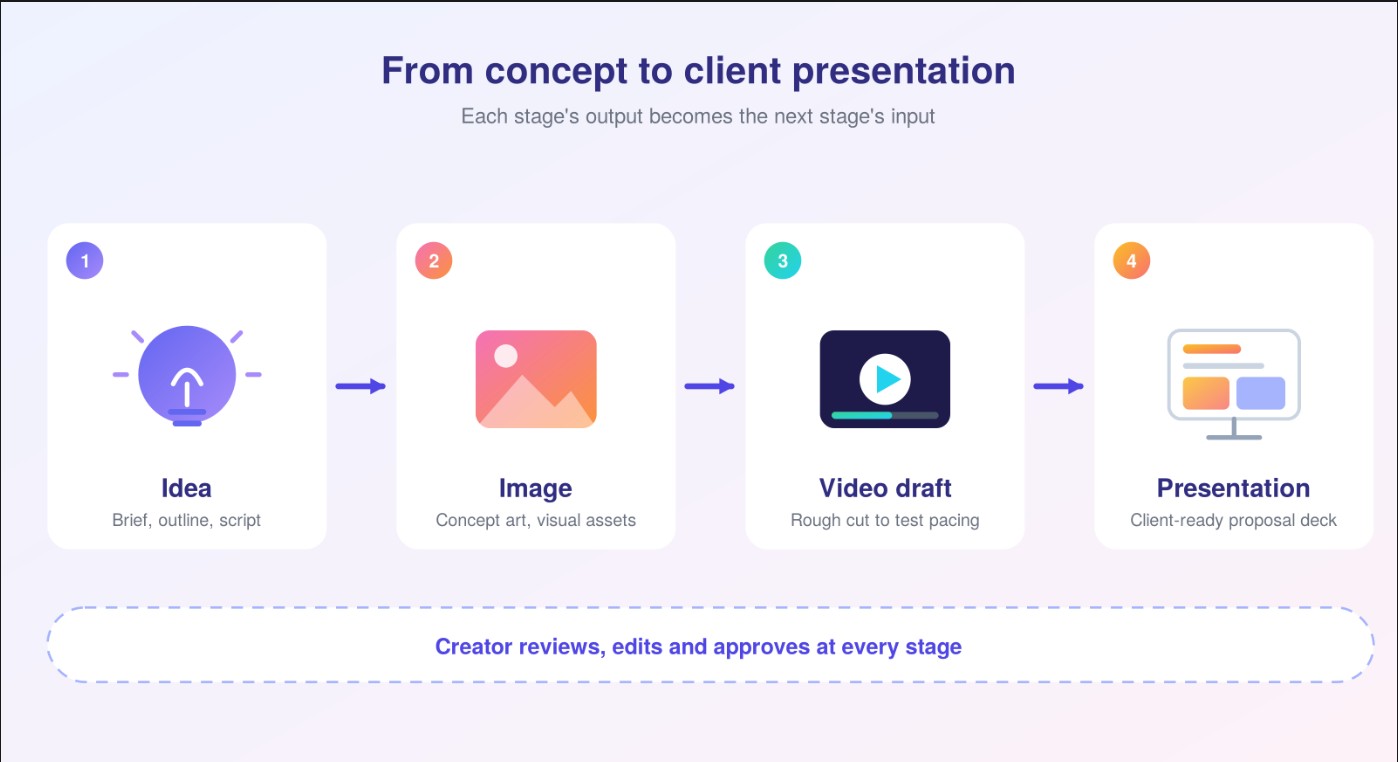
The clearest way to see a multi-tool workflow is to follow one project through it. Imagine a freelance creator producing a short brand explainer for a small client. The steps below are an illustrative scenario, not a customer case.
- Idea and outline. The creator drafts a concept, audience and key message, then asks an AI assistant to suggest structure and a rough script.
- Visual direction. Using AI image generation, they produce concept art and a few style options for the client to react to. Social media variants of the same visuals come from the same prompts with adjusted formats.
- Rough video draft. With AI video generation tools, the script and visual references become a first rough cut. At this stage the goal is a draft to evaluate pacing and tone, not a finished film.
- Presentation. The concept, visuals and rationale are turned into a structured proposal deck through AI presentation generation, so the client sees the reasoning alongside the clips.
- Human refinement. The creator edits the script, replaces weak images, re-cuts the video and rewrites anything that does not sound like the brand.
The value here is not any single step. It is that the output of each stage becomes the input of the next without being rebuilt from scratch. When the script, images and deck live in disconnected tools, the creator re-explains the project to each one. When they sit in one environment, the context travels with the work.
The last step matters most. AI drafts are a starting point, and the creative judgment that decides what stays and what goes remains with the person.
How Multi-Tool AI Workflows Can Reduce Repetitive Work
Repetition is where creative hours quietly disappear. Resizing one visual for five platforms, rewriting the same brief for each tool, exporting and re-uploading files, and rebuilding a deck from scattered notes are all necessary, but none of them is the creative part.
A connected workflow can trim several of these loops:
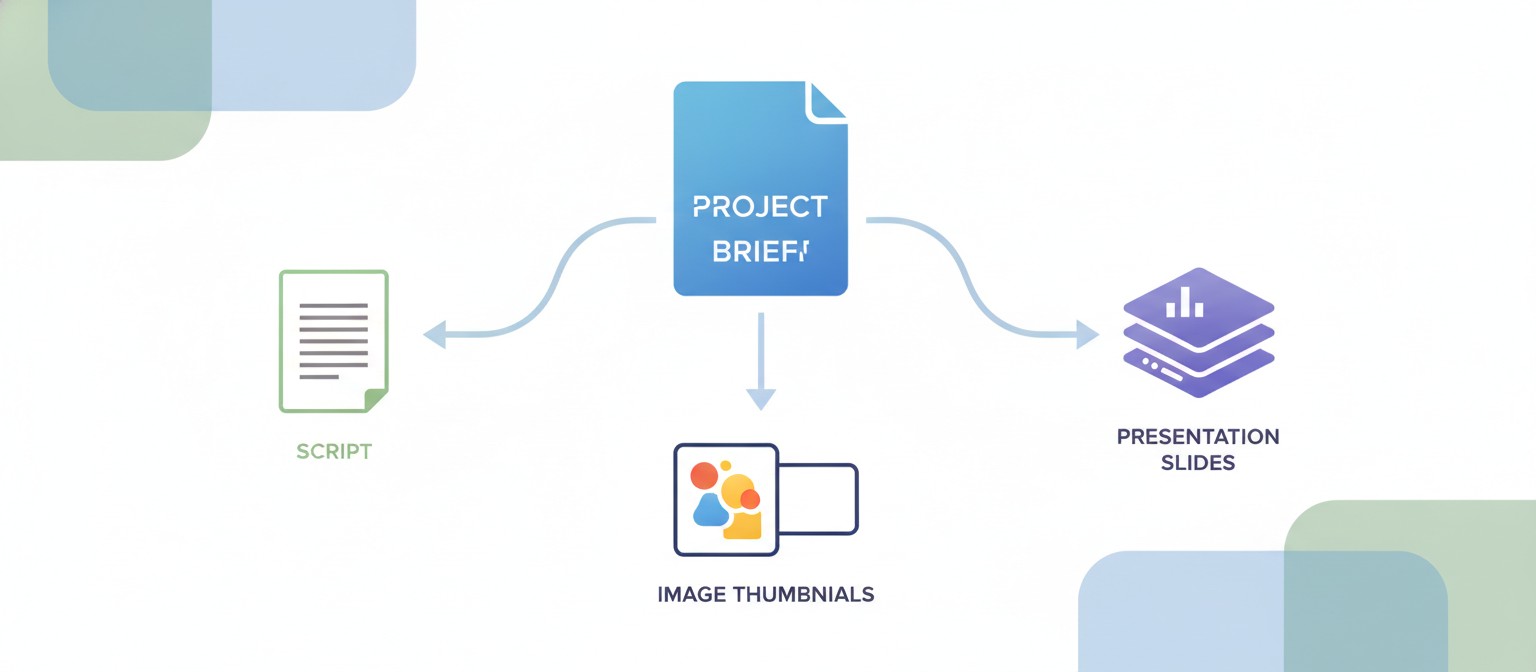
- Reusable context. A project brief, brand notes or a style description written once can inform scripts, images and slides, instead of being retyped for each tool.
- Faster variations. Generating several image or clip options from one prompt makes it easier to compare directions early, before time goes into polishing the wrong one.
- Format adaptation. The same visual idea can be produced in square, vertical and wide versions for different channels.
- Research to deck. Findings and creative proposals can be turned into a structured presentation draft rather than assembled slide by slide.
These savings are real but uneven. Generated drafts still need review, and time saved in production can shift into curation, since more options mean more decisions. Creators who benefit most tend to define their process first, deciding what AI drafts, what a person approves and what is never automated.
There is also a trust dimension. Adobe’s 2025 Creators’ Toolkit survey found that 69% of creators are concerned about their content being used to train AI without permission. A workflow that saves time but exposes original work carelessly is a poor trade, which leads directly to how to choose tools.
What Creators Should Consider When Choosing AI Tools
A feature list says little about whether a tool will suit your work. These questions help separate a useful stack from an expensive one.
| Consideration | Question to ask | Why it matters |
| Output quality | Does the result hold up on your own prompts, not just demos? | Samples are chosen to impress; your use case is not |
| Model choice | Can you pick different models for different tasks? | One model rarely suits images, video and slides alike |
| Workflow fit | Can output from one step feed the next without re-exporting? | Handoffs are where time is lost |
| Control and editing | Can you revise, regenerate and edit parts of an output? | First drafts rarely ship unchanged |
| Rights and privacy | What do the terms say about ownership, commercial use and training on your content? | Particularly important for client work |
| Disclosure | Do platforms where you publish require labeling AI-assisted content? | Rules vary by platform and region |
| Cost | What do credits, limits and plan tiers add up to over a month? | Video generation in particular can use credits quickly |
Test with one real project before committing. Track how long the workflow takes against your usual process, how much editing the drafts need, and whether the final piece still sounds like you. Treat vendor claims, including those about any platform mentioned here, as things to verify during that trial.
Conclusion
The change in digital creativity is not just that AI can generate images or video. It is that creators are connecting these capabilities into a single working process, moving from idea to visual to draft to presentation with less rebuilding in between. The best results come from clear roles: AI accelerates drafting and variation, while the creator sets direction, edits and takes responsibility for the result. Start small, evaluate on real work, and let the workflow grow only where it clearly earns its place.


