
In 2026, advanced visual content trends are evolving more quickly than ever, and one of the most transformative developments is the rise of AI-powered background changers. Tasks that once required hours of manual work—such as masking subjects, editing layers, or coordinating lighting—can now be fulfilled in seconds with the right tools. Whether you are a photographer, advertiser, social media creator, or small business owner, AI solutions allow you to remove backgrounds and alter visuals effectively while maintaining professional quality. This guide explores the practical applications of AI background changers, highlights common challenges, and explains how FlowChartAI and other platforms can optimise your workflow.
1. How AI Background Changers Are Changing Visual Editing
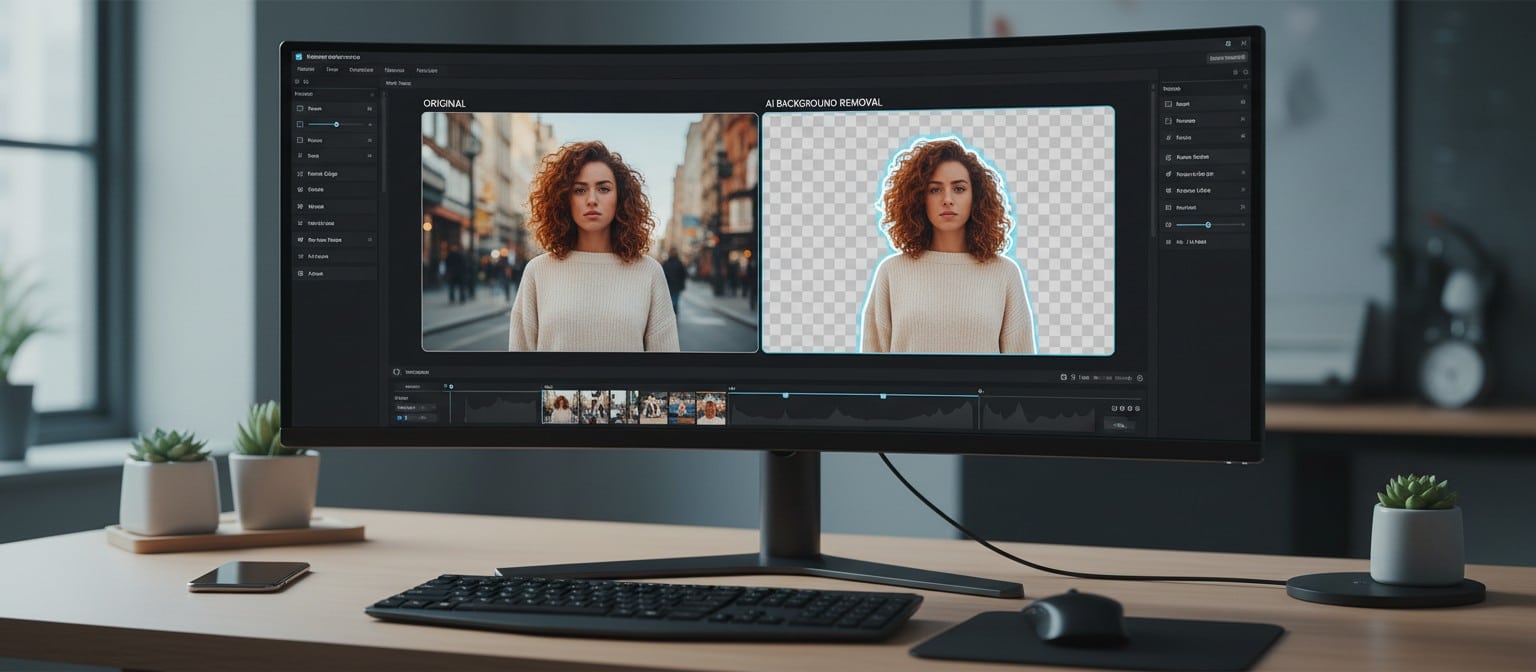
AI background changers have revolutionised how we handle images. Traditionally, editors had to meticulously follow subjects with tools like the lasso or pen selections, often struggling with hair, shadows, and fine details. AI now automates these steps using machine learning models that distinguish objects, identify edges, and partition the foreground from the background accurately.
Recent benchmarks for the BiRefNet model show an impressive IoU (Intersection over Union) score of 0.87 and a Dice coefficient of 0.92, highlighting the precision of modern AI image editing tools.
With an AI background changer online, you can achieve:
- Time Efficiency: Process multiple images in minutes instead of hours.
- High Accuracy: Maintain details like hair strands, semi-transparent objects, or subtle shadows.
- Batch Processing: Handle large image sets simultaneously, ideal for product catalogues or social media campaigns.
This level of automation allows creators to focus more on visual storytelling, branding, and inventive experimentation rather than technical editing. Even beginners can deliver professional results without mastering advanced software.
2. Common Challenges in Background Editing
Despite AI advancements, certain challenges persist in background editing. Understanding these helps ensure better results:
- Resolution Issues: Low-quality yields can ruin print projects or high-resolution campaigns. Always check export settings.
- Lighting Mismatches: If the foreground and new background contrast in the light direction or intensity, the image can appear artificial.
- Complex Edges: Hair, fur, or translucent objects can be tricky for some AI tools.
- Style Consistency: Using different backgrounds over images may break visual cohesion in campaigns.
By anticipating these challenges, you can make smarter tool choices and avoid common mistakes that lead to amateurish results. Platforms like FlowChartAI can help to preempt these issues by allowing users to arrange and visualise alterations before applying them.
3. Popular Free and Online AI Background Changer Tools
There are several online tools that excel in background editing, offering both free and premium options:
- FlowChartAI: More than just a background changer, FlowChartAI provides a planning layer for your projects. Users can organise components, create graphs intuitively, and prepare compositions before editing, ensuring that your final images maintain consistency and style.
- Remove.bg: A widely recognised tool that specialises in single-click background removal. It is ideal for product photography or basic portraits and supports bulk uploads.
- Canva AI Background Remover: Integrated with Canva’s design suite, this tool allows quick background removal and replacement while offering broad design templates for marketing and social media content.
- Fotor AI Background Editor: Offers both free and paid levels. Its AI distinguishes subjects and provides natural tools for refining edges, editing lighting, and customising backgrounds.
Each of these tools has strengths, but the combination of AI editing and strategic planning, as offered by FlowChartAI, ensures professional results across different images and projects.
4. FlowChartAI Background Changer — A Smarter Approach
What sets FlowChartAI apart is its unique approach that mixes AI background removal with intelligent visualisation:
- Multi-format Input: Import content, PDFs, Word documents, spreadsheets, and images, making it perfect for complex projects.
- Diagram Generation: Create flowcharts, mind maps, or timelines to organise image compositions or visual campaigns.
- Interactive Visualisation: Outline each component of your images, from subject placement to background choice, before editing begins.
For example, a marketing team creating seasonal campaign visuals can draft formats in FlowChartAI, ensuring consistency over multiple images. Then, using an AI background changer online, they can replace or remove backgrounds rapidly, confident that the composition and branding stay intact.
This organised workflow diminishes trial-and-error, improves efficiency, and ensures high-quality yields even in large-scale projects.
5. Tips for Optimising Your Background Edits
Even with AI tools, thoughtful editing practices can dramatically improve results:
- Plan First: Use FlowChartAI or similar tools to lay out the subject placement, backgrounds, and lighting adjustments.
- Check Resolution: Always export images in high resolution to maintain sharpness.
- Match Lighting and Colour: Adjust brightness and shadows to create a natural blend between the foreground and the background. BiRefNet model accuracy studies suggest that bidirectional information flow is key to achieving this realism.
- Refine Edges Manually if Required: Even the best AI tools may miss fine details like stray hair or semi-transparent objects.
- Use Consistent Styles: For campaigns or portfolios, maintain a cohesive visual theme to reinforce brand identity.
Following these tips ensures that your edited images look professional, cohesive, and visually appealing.
6. Combining Planning and AI Editing for Professional Results
The true power of AI background editing emerges when combined with planning. A typical workflow might include:
- Draft your project format in FlowChartAI: Organise all visual components and plan the composition.
- Edit images using an AI tool: Remove or replace backgrounds efficiently.
- Refine subtle details: Check edges, shadows, and lighting to ensure realism.
- Batch export final images: Maintain high-resolution yields for different channels.
This approach is especially effective for e-commerce, social media campaigns, or professional portfolios. Using both AI background changer online tools and FlowChartAI allows creators to work more quickly, reduce errors, and create consistent, clean visuals.
The global image background remover market is growing rapidly, estimated to reach $1.57 billion in 2026 as these technologies become standard in the industry.
Real-world examples include:
- Social media influencers replacing backgrounds to match aesthetic trends.
- E-commerce brands ensuring product photos have uniform, distraction-free backgrounds.
- Photographers creating portfolios with professional-quality images without complex manual editing.
By coordinating arrangement and AI editing, even complex projects with numerous images and components can be executed seamlessly.

Conclusion
AI background changers have transformed how creators approach visual editing. With AI background changer online tools and free options available, anyone can remove or alter backgrounds in minutes. The expansion of FlowChartAI brings a new dimension, allowing for organised planning, multi-format input, and professional-level visual organisation.
Whether for social media, marketing campaigns, photography portfolios, or individual projects, combining AI background editing with astute planning ensures faster workflows, higher-quality outcomes, and more creative opportunities. In 2026, owning these tools is no longer optional—it is a necessity for modern content creators.


