
OpenClaw 2.0, the self-hosted, open-source AI agent platform that helped kick off the personal-agent craze, has just shipped its largest update since launch. Tagged as version 2026.8.1 and released on August 31, 2026, it folds in more than 16,000 pull requests from 933 contributors, including 569 people submitting a pull request for the first time. The release touches nearly every part of the platform: installation, messaging, memory, skills, automations, the browser app, native desktop clients, plugins, and security.
It is also, by the project’s own admission, the first release that behaves like a traditional major version. That distinction matters, because upgrading from OpenClaw 1.x is not a drop-in replacement. Session storage has moved to SQLite, the bundled OpenProse plugin has been removed, and a set of `codex/* model routes has been renamed to `openai/* paths that existing users will need to migrate with `openclaw doctor –fix`.
The bigger story, though, is what the release signals about the project’s priorities. OpenClaw built its reputation on speed, and 2.0 is the first release that traded some of that speed for a stronger technical foundation. Whether that foundation is sturdy enough is the question every existing user and every team evaluating OpenClaw for the first time is now weighing.
What Is OpenClaw and Why Does Version 2.0 Matter?
OpenClaw is an open-source, self-hosted AI agent runtime created by Peter Steinberger, the developer previously behind the document-rendering SDK company PSPDFKit. Rather than routing prompts through a single vendor’s cloud, OpenClaw lets users connect AI models from multiple providers (including OpenAI, Anthropic, Google, and local models via Ollama) to a single agent that can take actions across chat apps such as Discord, Slack, Telegram, WhatsApp, and Microsoft Teams, plus the local file system and browser.
It went viral shortly after its public debut in September 2024, gained roughly 60,000 GitHub stars in a 72-hour window during its early spike, and by April 2026 had crossed 310,000 stars and 58,000 forks, with more than 1,200 contributors. Its growth curve has been unusual even by open-source standards: at its peak, the project was adding about 12,000 GitHub stars per day, reaching 250,000 stars in roughly 18 months, a milestone that took React about eight years to hit.
That scale is what makes OpenClaw 2.0 worth paying attention to. The project’s own release notes describe the update as something with “far more scope than they ever intended it to have,” reflecting the fact that, for many users, OpenClaw is no longer an experimental side project but core personal or team infrastructure. Earlier IL coverage has tracked OpenClaw’s pivot from software agents to physical robots and patterns for deploying safer tool-driven agents; version 2.0 is the next chapter in that story.
OpenClaw 2.0 by the Numbers
The release snapshot below summarizes the key data points from the v2026.8.1 release, drawn from reporting by SiliconANGLE, the official release notes, and the OpenClaw project’s own documentation.
| Metric | Figure |
|---|---|
| Release version | v2026.8.1, branded “OpenClaw 2.0” |
| Release date | August 31, 2026 |
| Pull requests merged | 16,000+ |
| Total contributors to the release | 933 |
| First-time contributors | 569 |
| Development cycle length | Approximately 7 weeks (vs. 106 releases in 230 days previously) |
| Community skills reviewed with critical flaws | 7.1% of roughly 4,000 skills |
| OpenClaw instances exposed to the open internet | 30,000+ |
The two statistics on the bottom row are the ones that frame every other story about this release. The 7.1% critical-vulnerability rate in community-built skills is a supply-chain problem. The 30,000 exposed instances are a configuration problem. Both predate 2.0 and have not yet been independently re-measured against the new release. They are worth holding in mind when reading the rest of the changelog.
Installation and Onboarding Get a Complete Overhaul
The single largest user-facing change in OpenClaw 2.0 is the redesigned installation and onboarding flow. The OpenClaw foundation’s community manager, Hannes Rudolph, said the team “cut or simplified a lot of configuration and moved the rest out of initial setup, letting people get to a first conversation faster and finish setting up their Claw by talking to it.”
What that looks like in practice is a guided setup that, on first run, scans the user’s machine for already-available resources. Active ChatGPT or Claude subscriptions, existing API keys, and locally hosted models are all detected automatically and offered as configuration options. The chosen model is verified before it is saved, and the user is then handed off either to the rebuilt web app or the terminal session that is now ready for input.
The browser app itself has been rebuilt as what the release notes describe as “a first-class experience.” The new layout puts past conversations in a sidebar with the active thread centered in the main pane, an arrangement that will look familiar to anyone who has used ChatGPT, Claude, Gemini, or Perplexity on the web. The point of the redesign, per the project, is to remove the “Overview page first” friction that earlier versions imposed and to let users stay inside one conversation while configuring the rest of their setup.

For users on iPhone, iPad, Android, and Wear OS, pairing and permission flows have been reworked to put controls where people actually need them. Existing 1.x users upgrading should expect the installer to surface migration prompts rather than run silently.
Memory System Overhaul: QMD Retired, Active Memory On by Default
OpenClaw 2.0 consolidates memory handling under a single built-in system. The older QMD (Queryable Memory Daemon) backend has been retired; in its place, the new built-in Memory owns search and recall for personal installations.
The release adds several new memory behaviors:
- Active Memory is on for personal installations by default, letting the same agent retrieve bounded private conversation context without each session starting from zero.
- Model-assisted consolidation runs in the background, promoting material with clear provenance into long-term memory and writing a per-agent “Dream Diary” of those consolidations.
- Automatic learning is enabled by default, allowing the system to collect reusable lessons and propose them as scanner-approved skills.
- Group and channel conversations stay outside the default recall path by design, a deliberate boundary between personal and shared context.
The shift matters for anyone running OpenClaw 1.x and depending on QMD-backed plugins, since those will need to be replaced or retired before upgrading.

Shared Cloud Sessions Turn OpenClaw Into a Team Tool
OpenClaw began as a single-user assistant running on a single machine. Version 2.0 adds shared cloud sessions, letting multiple team members join an in-progress agent session, pick up work where a colleague left off, and assign tasks to each other with the agent’s full working context preserved across the handoff.
The architecture supports moving a session workspace between paired devices or cloud workers, so one person can start a task on a laptop and a teammate can pick it up on a phone without losing state. The OpenClaw team has said the project itself is now built this way internally.

There is an important caveat in the release notes: the project is explicit that shared session controls are not tenant isolation and do not constitute a security boundary between users. Organizations that need strict isolation between OpenClaw instances should not assume that sharing one session grants the same separation as provisioning separate instances for each user or team.
This is also the area where OpenClaw 2.0 takes the clearest step toward feature parity with managed enterprise agent platforms from Anthropic and OpenAI, while keeping the self-hosted, bring-your-own-model structure that its original user base signed up for.
Where OpenClaw 2.0 Sits in the 2026 Agent Landscape
The open-source agent space has grown crowded in 2026. OpenClaw now shares the field with Anthropic’s hosted Claude Code, Meta’s recently launched Muse Code (described in our Meta Muse Code coverage), and lighter CLI agents, including OpenCode, Hermes, OpenAI’s Codex CLI, and Google’s Gemini CLI.
Hermes is worth a brief mention: it is one of several CLI-first coding and task agents that have emerged as a lower-friction alternative to hosted suites, and its presence in search autocomplete alongside OpenClaw suggests developers are actively comparing the two. The deeper comparison, though, is less about CLI tools and more about the underlying architectural choice: hosted, vendor-managed agents with narrower scope versus self-hosted, model-agnostic runtimes like OpenClaw that can reach across a user’s full digital environment. OpenClaw 2.0’s new shared-cloud-session model, paired with its persistent security exposure, illustrates both the upside and the cost of that breadth.
The Security Update Is Real, but It’s Off by Default
The single most covered feature of OpenClaw 2.0 is its new credential handling. In the previous version, secrets such as API keys, passwords, and OAuth tokens were passed directly into the same context window the AI model reasons over, meaning a prompt injection attack or a compromised plugin could potentially exfiltrate a credential simply by getting the model to repeat it.
Version 2.0 changes that pattern in two important ways:
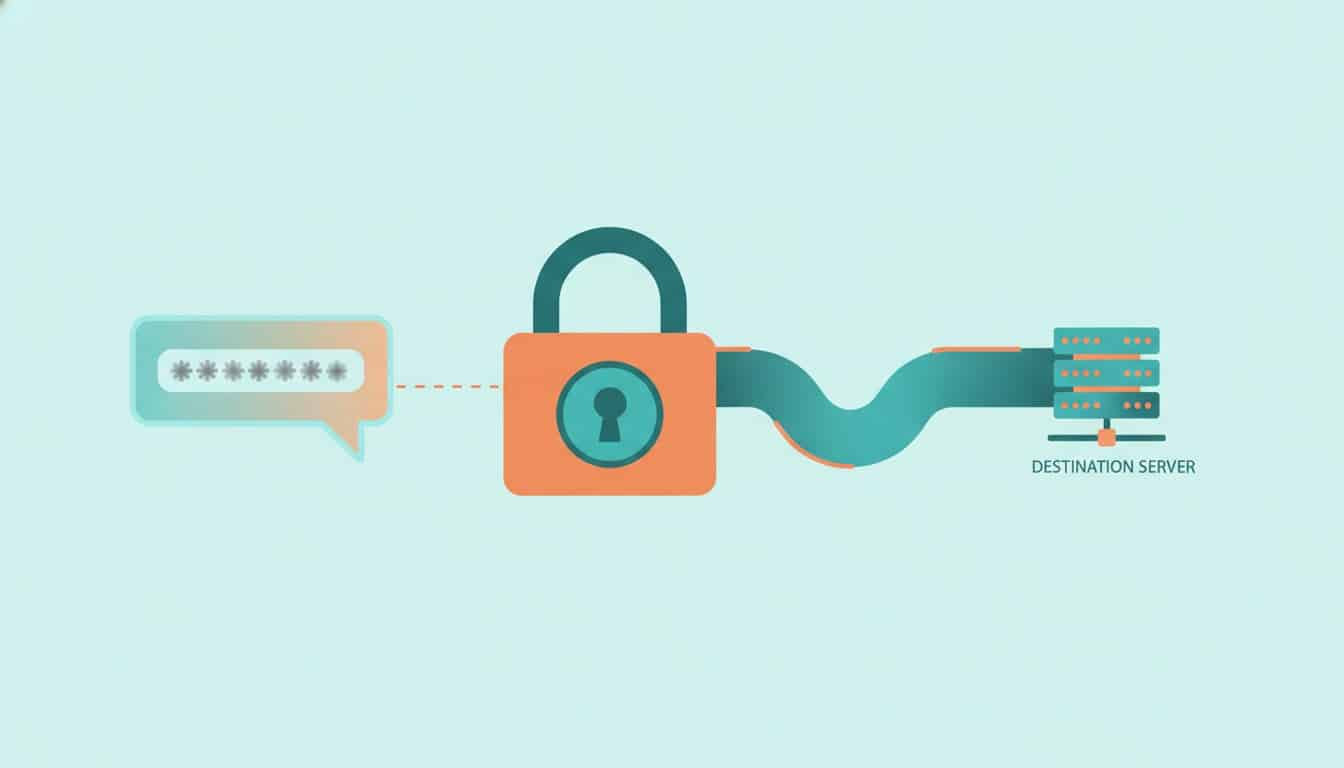
- Masked credential requests. An agent that needs a secret can request it via a masked prompt. The actual value of the secret is held in a local secret store that “separates Protected values from Agent-readable environment values,” per the release notes. The value never enters the chat transcript or the model’s context window.
- Opt-in destination proxy. A second layer restricts where a protected secret can be substituted, limiting it to destination hosts a user has explicitly approved. A credential tied to a company Slack workspace can be blocked from ever being sent to an unapproved domain, even if a malicious skill or a manipulated prompt tries to redirect it.
That is a meaningful structural fix. It is also, on its own, not enough. The same release notes that describe the protected credential system also note, candidly, that “Secret Store values are not encrypted at rest and depend on the filesystem permissions of OpenClaw’s state directory.” A new sandbox for untrusted code has been added too, but sandboxing is off by default.
The Register’s coverage of the release captured the trade-off bluntly, headlining the update as “glitter on a slow-burning security dumpster fire” because the new release is doing a lot to make installation easier while not bringing security-by-default along with that accessibility. Coverage from CyberSecurityNews and CyberPress was more positive on the credential work but echoed the same caveat: prompt injection is an open problem across the entire AI agent industry, and the skill ecosystem is where most of the unresolved risk now sits.
The honest read of OpenClaw 2.0’s security posture is that it is a deliberate architectural trade-off, not a failure. The project is choosing to optimize for installability and reach, on the theory that an opt-in security model gets more people using OpenClaw safely than a locked-down-by-default model that pushes users to less-maintained forks. For users who already know they need stronger controls, the tools are there; for users who do not configure them, the defaults still leave the credential store readable to anyone with filesystem access to the OpenClaw state directory, and sandboxing remains disabled.
What Breaks When You Upgrade From OpenClaw 1.x
Most coverage of OpenClaw 2.0 has framed it as a purely additive release. The project itself describes it that way too, but the migration guide tells a more nuanced story. Three things change in ways that existing users need to plan for:
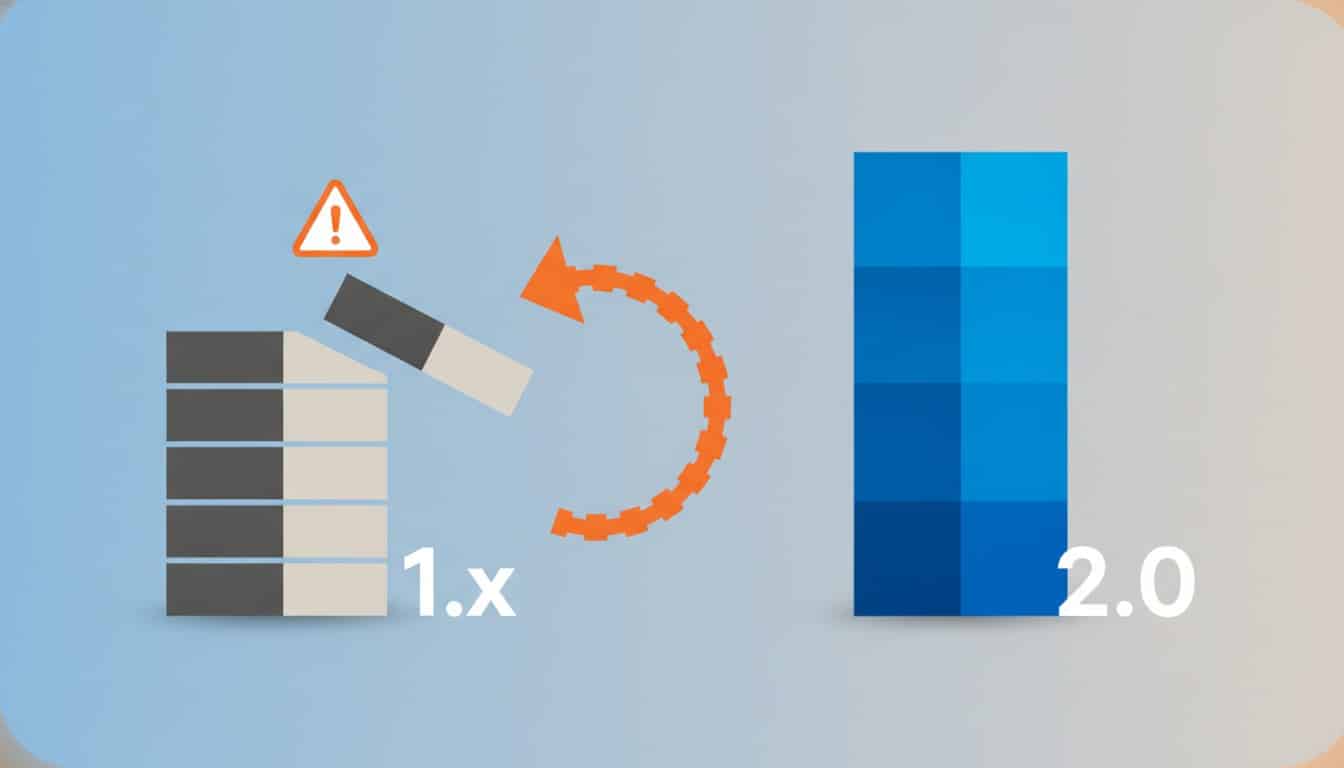
- Session storage moves to SQLite. The previous on-disk session format is deprecated. Downgrading to a 1.x build after upgrading will require manual conversion, and any third-party tooling that reads session files directly will need to be updated.
- The bundled OpenProse plugin is removed. Users depending on OpenProse for orchestration will need to find or build an equivalent plugin in the new ecosystem before upgrading.
- Codex model routes rename. Any configuration that references `codex/* model paths will need to be migrated to the new `openai/* paths. Running `openclaw doctor –fix` handles the rename automatically, but the migration needs to be triggered explicitly.
For users on older 1.x releases who have been holding off on upgrading because the platform was moving fast, this is the version worth catching up on. For users already running recent 1.x builds, the upgrade is manageable but not invisible. Test the migration on a non-production instance first.
Is OpenClaw Free?
Yes. OpenClaw is free and open-source. Its source code is publicly available on GitHub, and users bring their own API keys for cloud AI models, run local models via Ollama or similar runtimes, or mix the two. There is no required subscription to use OpenClaw itself, though users will pay their chosen model provider for inference in the usual way.
The flip side is that “self-hosted” is not the same as “free to operate.” Network exposure, skill auditing, and update hygiene are all the user’s responsibility. OpenClaw 2.0 closes one of the most-cited structural risks, the credential-in-context-window problem, but the 30,000-plus instances found exposed to the open internet and the 7.1% critical-vulnerability rate in community skills are reminders that running OpenClaw well still requires work that a hosted service would handle for you.
What Comes Next
A few patterns are already visible in the days since release. Security vendors are expected to publish updated audits of OpenClaw within weeks, testing whether the masked-credential system and host-restricted proxy actually hold up against live prompt injection attempts rather than the threat model described in the release notes. Enterprise adoption is likely to accelerate if those audits come back positive, since the credential-isolation control was the most commonly cited blocker in prior enterprise reviews of OpenClaw. Managed agent vendors, including Anthropic and OpenAI, will likely respond with their own collaboration and credential-handling features now that OpenClaw’s shared cloud sessions directly target one of the few areas where hosted platforms still had a clear edge.
What is less clear is whether the slower, two-month release cycle becomes the new normal. The OpenClaw foundation’s framing of this cycle as building “a safer upgrade path” suggests an ongoing shift in priorities, not a one-off pause. If it holds, expect OpenClaw 2.x to keep trading feature velocity for structural stability, with each major bump carrying migration notes rather than silent compatibility.
For developers and teams weighing OpenClaw against a managed alternative, the calculus has shifted with this release, but it has not been resolved. The self-hosted, model-agnostic structure that made OpenClaw attractive in the first place still means the user carries responsibility for network exposure, skill vetting, and update hygiene. What 2.0 changes is that the single biggest structural risk, secrets living inside a model’s context window, now has a documented fix. Whether the rest of the operational risk is acceptable still depends on the same three questions it did before: does the workload need the breadth of access OpenClaw provides, is there internal capacity to audit third-party skills before installing them, and is the network configuration locked down well enough that an exposed instance is not a realistic risk?
Frequently Asked Questions
What is OpenClaw and what does it do?
OpenClaw is an open-source, self-hosted AI agent runtime created by developer Peter Steinberger. It connects AI models from multiple providers to a single agent that can take actions across chat apps like Discord, Slack, Telegram, WhatsApp, and Microsoft Teams, as well as the local file system and browser. Unlike vendor-hosted agents, OpenClaw is model-agnostic, so users can mix cloud models from providers such as OpenAI, Anthropic, and Google with locally hosted models.
Is OpenClaw free?
Yes. OpenClaw’s source code is publicly available on GitHub, and there is no required subscription to use the platform. Users pay their chosen model provider for inference in the usual way or run models locally at no marginal cost beyond their own hardware.
Is OpenClaw the AI that actually does things?
In marketing shorthand, OpenClaw is exactly that: an “agent” in the technical sense, meaning an AI system that can take actions in external systems, not just generate text. In practice, what it does depends on which skills and integrations the user has enabled. Out of the box it can route commands between chat apps and the local file system or browser; with additional skills, it can run shell commands, manage files, automate web tasks, and connect to more than 100 preconfigured AgentSkills for common workflows.
Can OpenClaw have multiple agents?
Yes. OpenClaw has supported multi-agent configurations for some time. Version 2.0 adds a new dimension: shared cloud sessions, where multiple human users can collaborate on a single agent session with context preserved across handoffs. The project is explicit, however, that shared session controls are not tenant isolation, so organizations needing strict user separation should still provision separate OpenClaw instances per team.
What is the biggest new feature in OpenClaw 2.0?
The most covered feature is credential isolation. Agents can now request secrets through a masked prompt so the actual value never enters the chat transcript or the model’s context window, paired with an opt-in proxy that restricts where protected secrets can be sent. The release also adds shared cloud sessions, a rebuilt browser app, and a substantially rewritten memory system.
What breaks when I upgrade from OpenClaw 1.x?
Three things change: session storage moves to SQLite, the bundled OpenProse plugin is removed, and any configuration referencing `codex/* model routes must be migrated to `openai/* paths. Running `openclaw doctor –fix` after upgrade handles the route migration automatically. Downgrading from 2.0 back to a 1.x build after upgrading will require manual conversion of the new SQLite session files.
Is OpenClaw safe to use?
OpenClaw 2.0’s credential-isolation system addresses a specific, well-documented risk, but security researchers have flagged that tens of thousands of OpenClaw instances remain exposed to the open internet and that roughly 7.1% of community-built skills contain critical vulnerabilities. Users should follow network hardening and skill-vetting practices rather than relying on the version bump alone.


