
OpenAI released ChatGPT Images 2.5 on September 8, 2026, calling it the company’s new state-of-the-art image model. The update ships two API variants, GPT Image 2.5 Flare and GPT Image 2.5 Sunburst, adds two new quality tiers above “high,” natively supports transparent backgrounds, and cuts generation latency by up to 50 percent compared with the previous generation. Here is everything developers and creators need to know about the new models, their pricing, resolution limits, and how they stack up against alternatives like Nano Banana, MAI Image, and Grok Imagine.
What Is GPT Image 2.5?
GPT Image 2.5 is the successor to GPT Image 2 (also called Images 2.0), which launched on April 21, 2026, and quickly rose to number one on both the text-to-image and image-edit Arena leaderboards. OpenAI announced Images 2.5 alongside two dedicated API models and a suite of new ChatGPT features, including Sketch input, templates, and prompt sharing.
The core improvements center on four areas:
- Speed. Image generation latency drops by up to 50 percent compared with Images 2.0. The Flare API model delivers images two to four times faster than GPT Image 2 in third-party evaluations.
- Fidelity. Sharper details, more natural lighting, richer textures, and better preservation of a subject’s identity when a reference photo is restyled.
- Editing precision. The model changes only what the user asks it to edit while leaving the rest of the image intact, even across multiple conversational turns.
- Transparency. Transparent backgrounds are now a fully supported feature (no longer in preview) for both Flare and Sunburst, with cleaner alpha channels on hair, glass, and object edges.
OpenAI reports that ChatGPT Images and the GPT Image API together generate more than three billion images per week, making this one of the most widely used image generation platforms in production.
Flare vs. Sunburst: Choosing the Right Model
The two API models share the same pricing but serve different use cases. Understanding the distinction helps developers pick the right one for their workload.
GPT Image 2.5 Flare (model ID: gpt-image-2.5-flare) is the “small model,” optimized for speed. It produces higher-quality images than GPT Image 2 at 50 percent lower latency, according to OpenAI. It suits high-volume generation, social content, product previews, visual search, and rapid prototyping.
GPT Image 2.5 Sunburst (model ID: gpt-image-2.5-sunburst) is the “base model,” optimized for quality. It trades generation speed for tighter control across edits, making it the better choice for production-ready campaign creative, polished product imagery, and workflows where editing precision matters most.
| Attribute | Flare | Sunburst |
|---|---|---|
| Model ID | gpt-image-2.5-flare | gpt-image-2.5-sunburst |
| Role | Fast default (small model) | Premium quality (base model) |
| Speed vs GPT Image 2 | Up to 50% faster | Longer generation times |
| Quality vs GPT Image 2 | Comparable or better | Higher |
| Best for | Social content, prototyping, high-volume | Campaign creative, product imagery, precise edits |
| Quality settings | low, medium, high, xhigh, max, auto | low, medium, high, xhigh, max, auto |
| Transparent backgrounds | Yes (native) | Yes (native) |
| Safety (unsafe generations) | 1.41% | 1.09% |
OpenAI’s migration guidance suggests starting with Flare if GPT Image 2 already meets your quality requirements, then checking whether the faster latency improves your workflow. If GPT Image 2 falls short on a complex use case, start with Sunburst to establish whether its higher quality closes the gap.
Quality Levels: From Low to Max
Both Flare and Sunburst support six quality settings, up from four on GPT Image 2. The two new tiers, xhigh and max, sit above “high” and give developers finer control over the quality-versus-cost tradeoff.
| Quality Level | Description | When to Use |
|---|---|---|
| low | Fastest rendering, fewest output tokens | Thumbnails, previews, rapid iteration |
| medium | Balanced quality and speed | Most production use cases |
| high | Higher detail, more output tokens | Dense text, diagrams, detailed product shots |
| xhigh (new) | Extended detail beyond high | Print-quality assets, fine textures |
| max (new) | Maximum detail and output tokens | When quality is the only priority |
| auto (default) | Model selects the best level | General use, lets the model decide |
OpenAI cautions that a higher quality setting does not guarantee a better result for every prompt. The company recommends testing at “medium” or “high” first, then moving to “xhigh” or “max” only when they measurably improve an unmet quality requirement within your latency budget.
For GPT Image 2, OpenAI published per-image output token counts that allow cost estimation. Based on those figures, approximate per-image costs at each quality tier look like this:
Both Flare and Sunburst use the same token rates ($8 per 1M image input, $30 per 1M image output), and the calculator confirms identical per-image pricing across models. Resolution also affects cost, with larger images consuming more output tokens:
Resolutions, Aspect Ratios, and Transparent Backgrounds
Both GPT Image 2.5 models support flexible, arbitrary resolutions within a defined set of constraints. Developers pass a custom resolution as a WIDTHxHEIGHT string (for example, 1536×864), and the model generates an image at that exact size.
Resolution constraints:
- Each edge must be no more than 3,840 pixels.
- Both edges must be multiples of 16 pixels.
- The ratio of the longer edge to the shorter edge must not exceed 3:1.
- Total pixel count must be between 655,360 and 8,294,400.
- Outputs above 3,686,400 total pixels (roughly 2560×1440) are considered experimental.
Common preset sizes:
| Label | Resolution | Aspect Ratio |
|---|---|---|
| Square | 1024×1024 | 1:1 |
| Portrait | 1024×1536 | 2:3 |
| Landscape | 1536×1024 | 3:2 |
| 2K Square | 2048×2048 | 1:1 |
| 2K Landscape | 2048×1152 | 16:9 |
| 4K Landscape | 3840×2160 | 16:9 |
| 4K Portrait | 2160×3840 | 9:16 |
Transparent backgrounds are now a native feature for both Flare and Sunburst (they were in preview for GPT Image 2). To generate a transparent image, set background=”transparent” and use PNG or WebP as the output format. JPEG does not support transparency. OpenAI recommends checking the decoded alpha channel carefully, especially around hair, glass, shadows, and object edges.
API Pricing and Cost Estimates
GPT Image 2.5 uses the same per-token pricing as GPT Image 2. The rates are identical for both Flare and Sunburst:
Because both models charge by the token, the actual cost per image depends on the quality setting, output resolution, and the model. OpenAI’s price calculator does not yet support GPT Image 2.5, so developers should monitor actual usage rather than relying on GPT Image 2 estimates.
For reference, at 1024×1024 resolution, costs range from under a cent at low quality to around 21 cents at max. The jump from high to xhigh is roughly 78 percent, while the jump from xhigh to max is about 125 percent. At 4K resolution (3840×2160), even medium quality costs around 2.6 cents per image, and max reaches approximately 40 cents.
New in ChatGPT: Sketch, Templates, and More
Beyond the API models, OpenAI added several consumer-facing features to ChatGPT’s image capabilities:
- Sketch. Users can draw a rough reference directly inside ChatGPT (using the @Sketch command) and the model uses it as a guide for generation. This bridges hand-drawn concepts and polished outputs without needing a separate design tool.
- Templates. Pre-built formats for common outputs like posters, merchandise mockups, and social media layouts help users start from a structured canvas rather than a blank prompt.
- Image comments. Users can place comments directly on generated images to annotate specific areas, making iterative feedback more precise.
- Prompt sharing. Prompts can now be shared between users, allowing teams to reuse and refine effective generation instructions.
These features are rolling out to all ChatGPT, ChatGPT Work, and Codex users across desktop, mobile, and web, regardless of subscription tier.
Benchmarks and Safety
OpenAI has not published formal benchmark scores for GPT Image 2.5 on standardized leaderboards. However, several data points provide context:
- Arena rankings (GPT Image 2 baseline). Before Images 2.5, GPT Image 2 held the number-one position on the text-to-image Arena leaderboard at 1,381 Elo (plus or minus 5), the single-image editing leaderboard at 1,462 Elo, and the multi-image editing leaderboard at 1,454 Elo. GPT Image 2.5 has not yet accumulated enough Arena ratings for a comparable score.
- Speed claims. OpenAI states latency is reduced by up to 50 percent versus Images 2.0. Manus, an early testing partner, reports Flare running two to four times faster than GPT Image 2 in its own evaluations.
- Safety metrics. Internal evaluations show Sunburst at 1.09 percent unsafe generations and Flare at 1.41 percent, both below the 1.64 percent baseline. These numbers suggest the new models are marginally safer than their predecessor.
- Provenance. All images generated through the API and ChatGPT carry C2PA metadata and invisible watermarking, maintaining technical identifiability for content provenance.
The community will need time to run independent benchmarks. For now, OpenAI’s claims of improved fidelity and speed remain self-reported, and developers should evaluate on their own workloads before migrating production traffic. One vendor-side data point arrived shortly after: on the Qwen-Image-Bench chart published with Qwen Image 2.1, the new 7B open-weights image model from Alibaba, GPT Image 2.5 Sunburst placed first among 29 models at 67.01, ahead of Qwen Image 2.1’s 60.28 and Nano Banana 2.0’s 59.82.
How GPT Image 2.5 Compares to Competitors
The AI image generation landscape in September 2026 is crowded. Here is how GPT Image 2.5’s announced specs compare to the main alternatives available through APIs:
| Feature | GPT Image 2.5 Flare | GPT Image 2.5 Sunburst | Nano Banana Pro (Gemini 3 Pro Image) | Nano Banana 2 (Gemini 3.1 Flash Image) | MAI Image 2.6 | Grok Imagine Image 2 |
|---|---|---|---|---|---|---|
| Max resolution | 3840×2160 | 3840×2160 | Up to 4K | Up to 4K | Up to 2K | Up to 2K |
| Quality levels | 6 (low to max) | 6 (low to max) | Standard (reasoning levels) | Standard (reasoning levels) | Standard | Low, medium, auto |
| Transparent background | Yes (native) | Yes (native) | No | No | No | No |
| Custom resolutions | Yes (arbitrary) | Yes (arbitrary) | Limited presets | Limited presets | Limited presets | Limited presets |
| Image editing | Yes | Yes | Yes | Yes | Yes | Yes |
| Multi-turn editing | Yes (via Responses API) | Yes (via Responses API) | Yes | Yes | Yes | Yes |
| Streaming partial images | Yes | Yes | No | No | No | No |
| Reference image support | Up to 16 images | Up to 16 images | Up to 14 images | Up to 14 images | Up to 5 images | Up to 5 images |
| C2PA metadata | Yes | Yes | Yes | Yes | Yes | Yes |
| Invisible watermark | Yes | Yes | SynthID | SynthID | Yes (proprietary) | No |
GPT Image 2.5’s strongest differentiators are its arbitrary custom resolutions, native transparent backgrounds, six-tier quality control, and multi-turn conversational editing through the Responses API. No other model currently matches this combination of flexibility and control. On raw image quality for complex scenes, 3D renders, and photorealistic compositions, GPT Image 2.5 is competitive but not clearly ahead of Nano Banana, MAI Image, Grok Imagine Image 2, or Muse Image. Where it falls notably short is in data-accurate visualizations like charts and graphs, where positional accuracy of bars, labels, and scales is unreliable regardless of quality setting.
On the quality front, MAI Image 2.6 recently claimed the number-one spot on the image-edit Arena leaderboard, making it a strong competitor for editing workflows. Nano Banana Pro (Gemini 3 Pro) excels at photorealistic images with people and benefits from Google’s web-search grounding. Grok Imagine Image 2 offers fast, photorealistic generation at a lower price point but with fewer editing controls.
Hands-On Image Comparison
The true test of any image model is the output itself. Below are identical prompts run through seven models (including GPT Image 2.5 Flare and Sunburst at every quality level) to illustrate how they handle different image types. Each section includes observations on what the models got right and where they fell short.
Prompt 1: Bar Chart (Data Visualization)
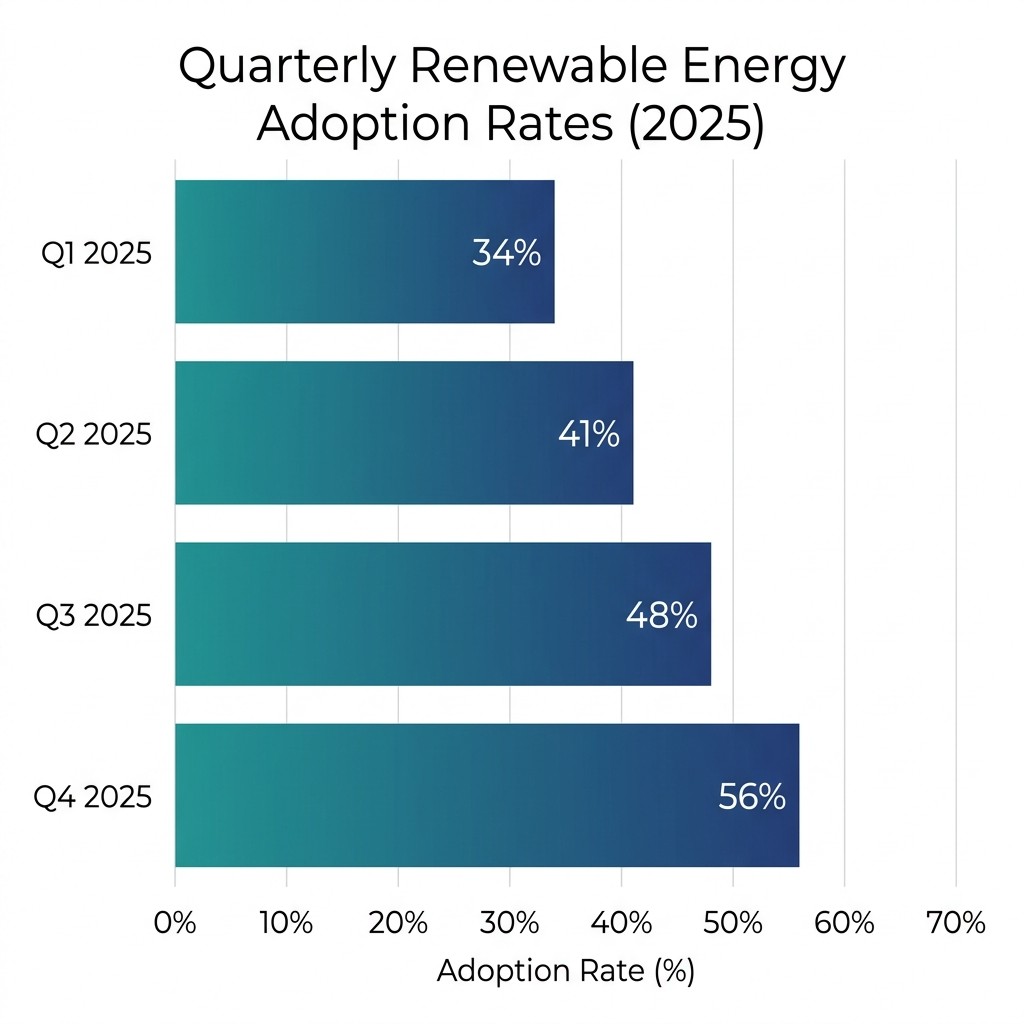
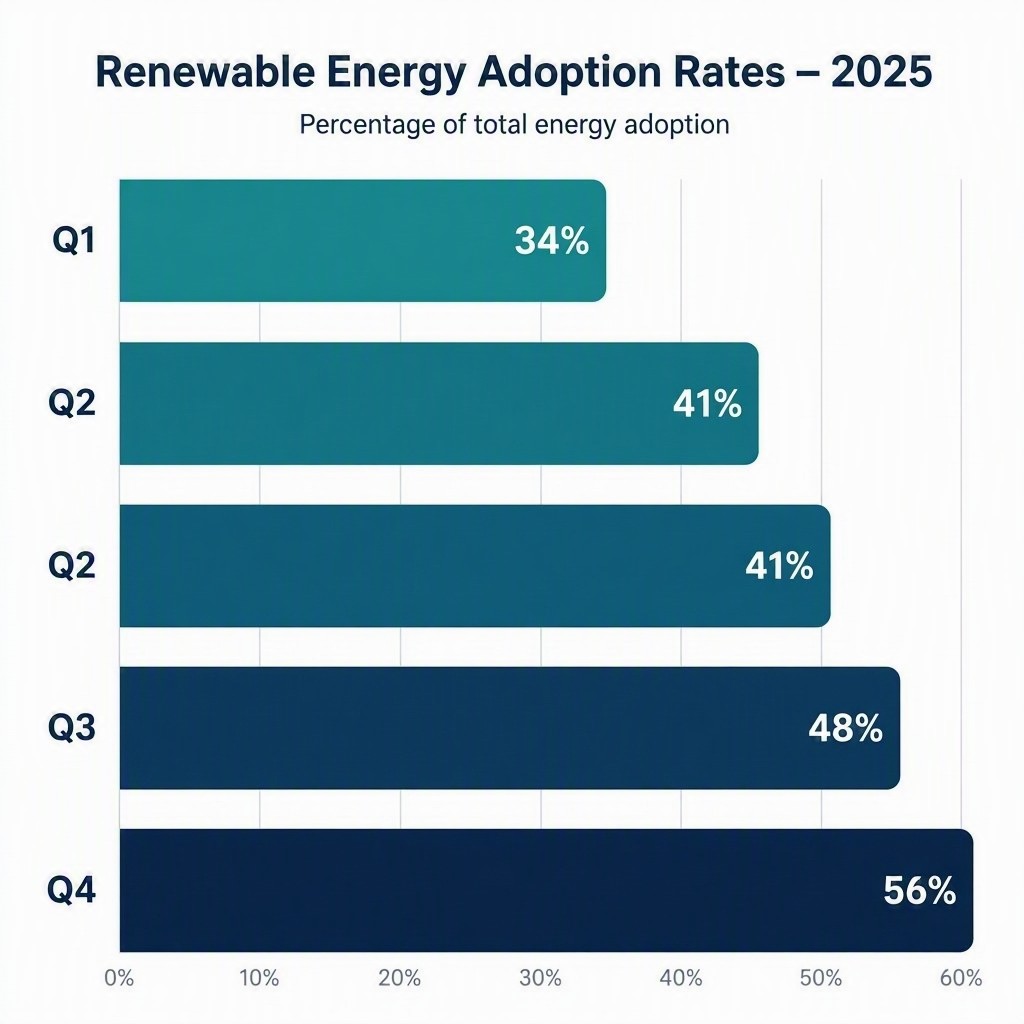
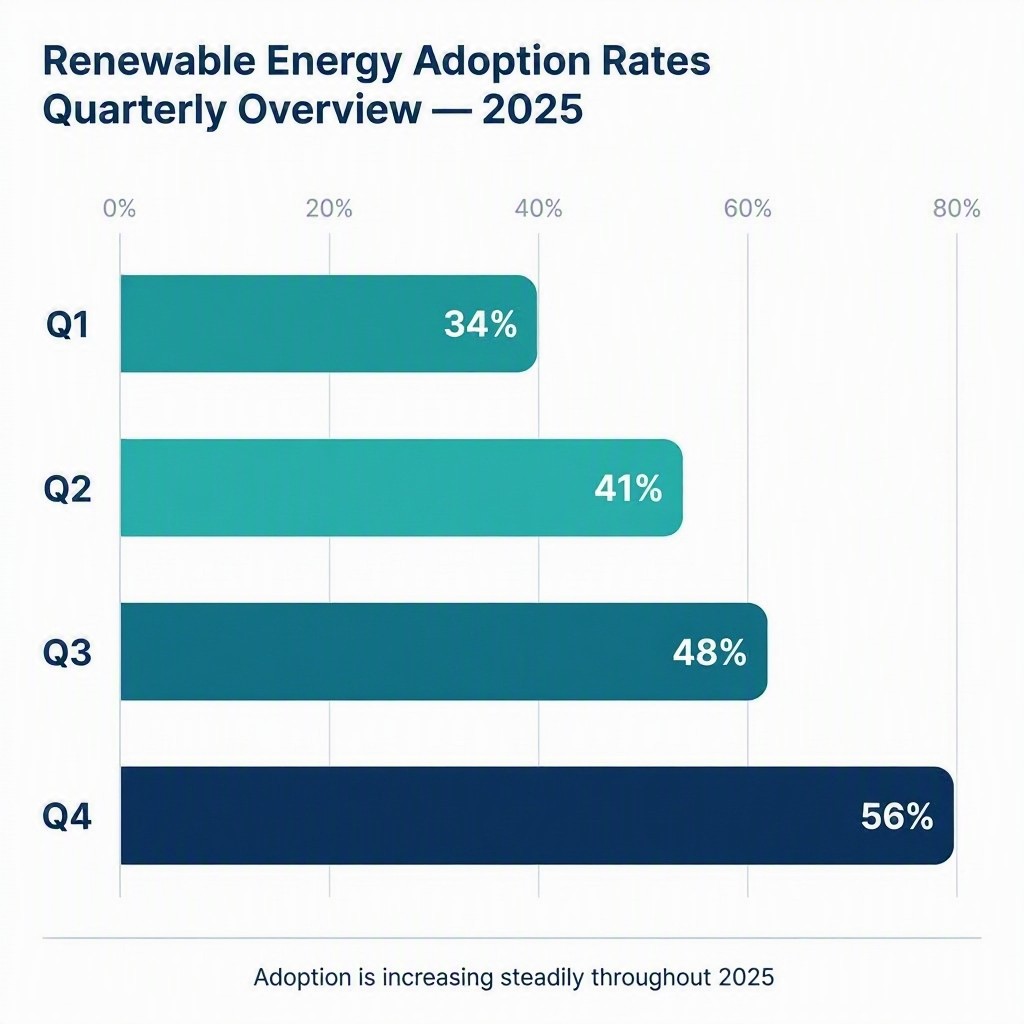
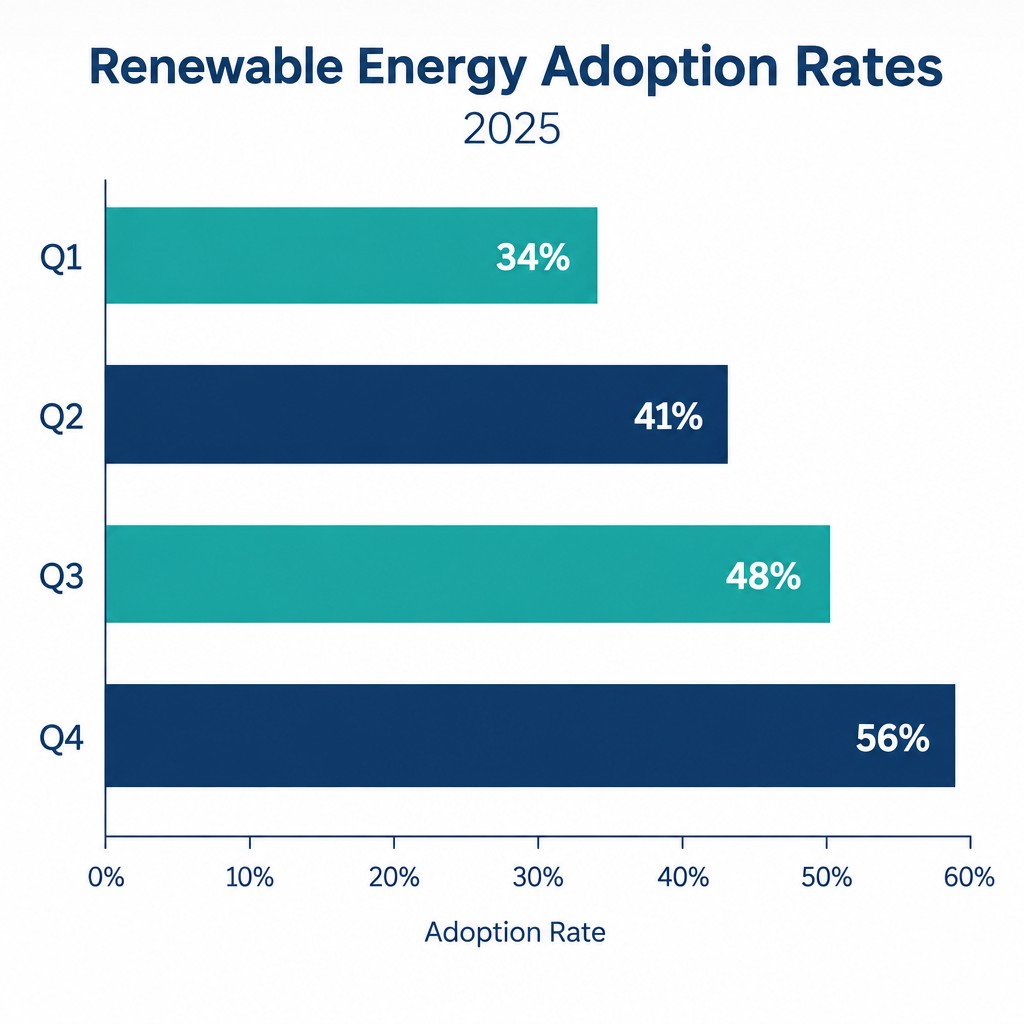
Prompt: “A clean, modern bar chart showing quarterly renewable energy adoption rates for 2025: Q1 34%, Q2 41%, Q3 48%, Q4 56%. White background, sans-serif labels, teal and navy color scheme, no decorative elements.”
Images generated at 1024×1024 resolution, September 9, 2026.


GPT Image 2.5 Flare (all quality levels):


GPT Image 2.5 Sunburst (all quality levels):


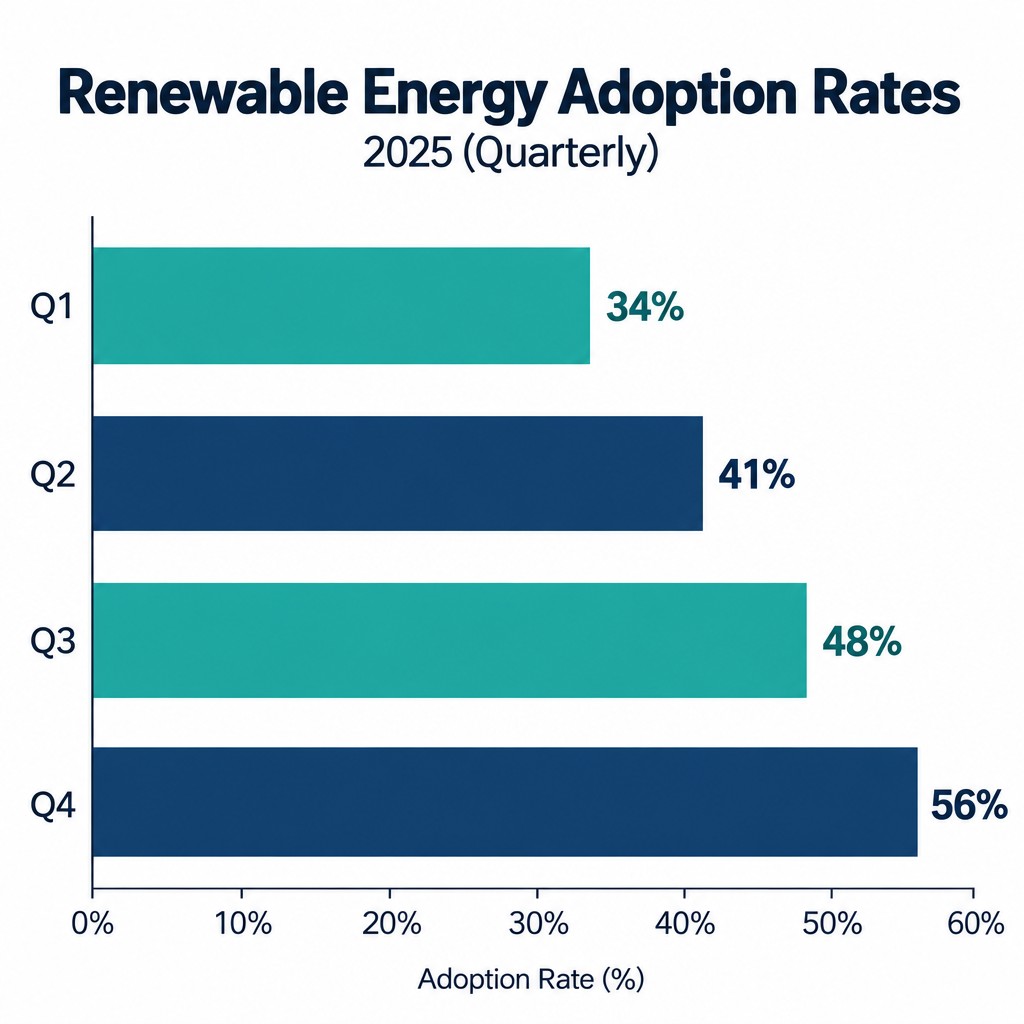
Observations. Only the Nano Banana models rendered bar positions accurately against the axis scale. Every other model misaligned the bars to varying degrees. MAI Image 2.6 duplicated the Q2 label and rendered inconsistent bar lengths for the same value. MAI Image Flash placed bars well away from their correct positions across all quarters. Grok Imagine Image 2 also misaligned bars against the reference scale. GPT Image 2.5 Flare came close at low and medium quality but still mispositioned bars by a few percentage points, and higher quality settings did not improve accuracy. Sunburst was inconsistent across quality levels, appearing correct only at medium and max. Higher quality settings do not improve data accuracy in charts, only visual fidelity of the surrounding image. Misalignment against reference lines is a common issue across image models and can be partially mitigated with more specific prompting, but Nano Banana remains the most reliable choice without extensive prompt engineering. Agnes Image 2.5 Flash exhibits the same pattern, with bar lengths that contradict both their printed values and the axis, as documented in our Agnes Image 2.5 Flash review.
Prompt 2: Infographic
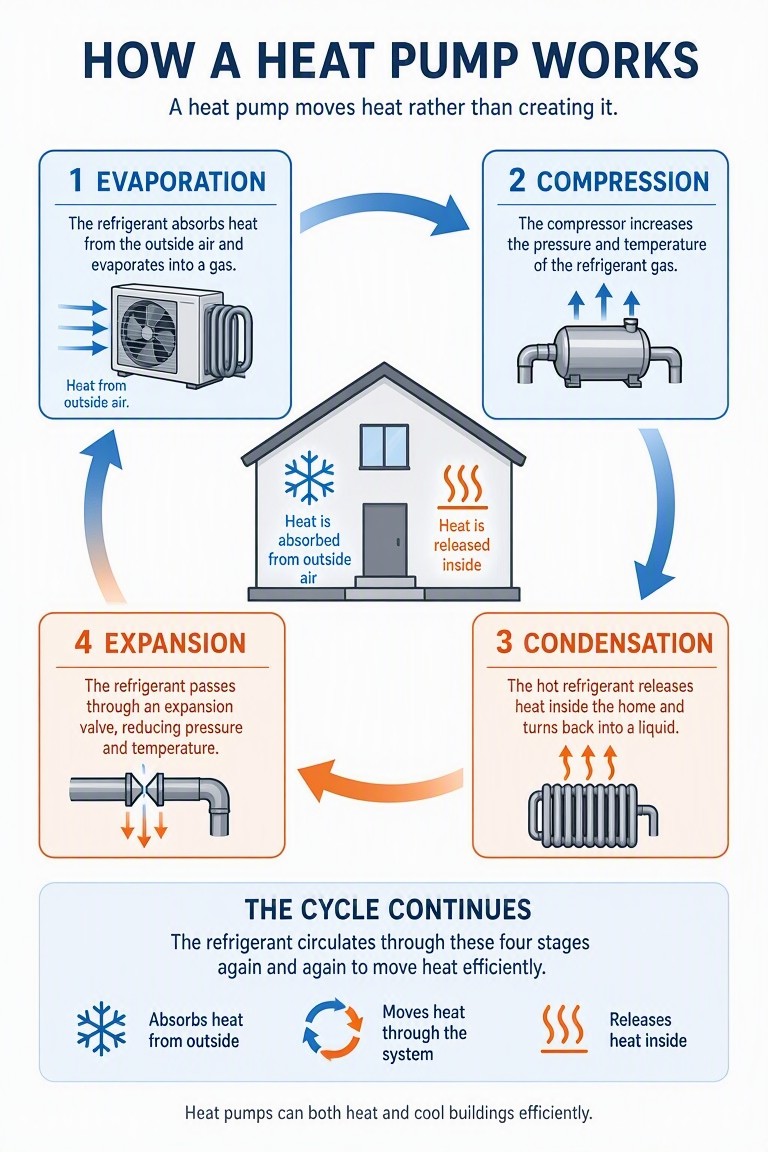
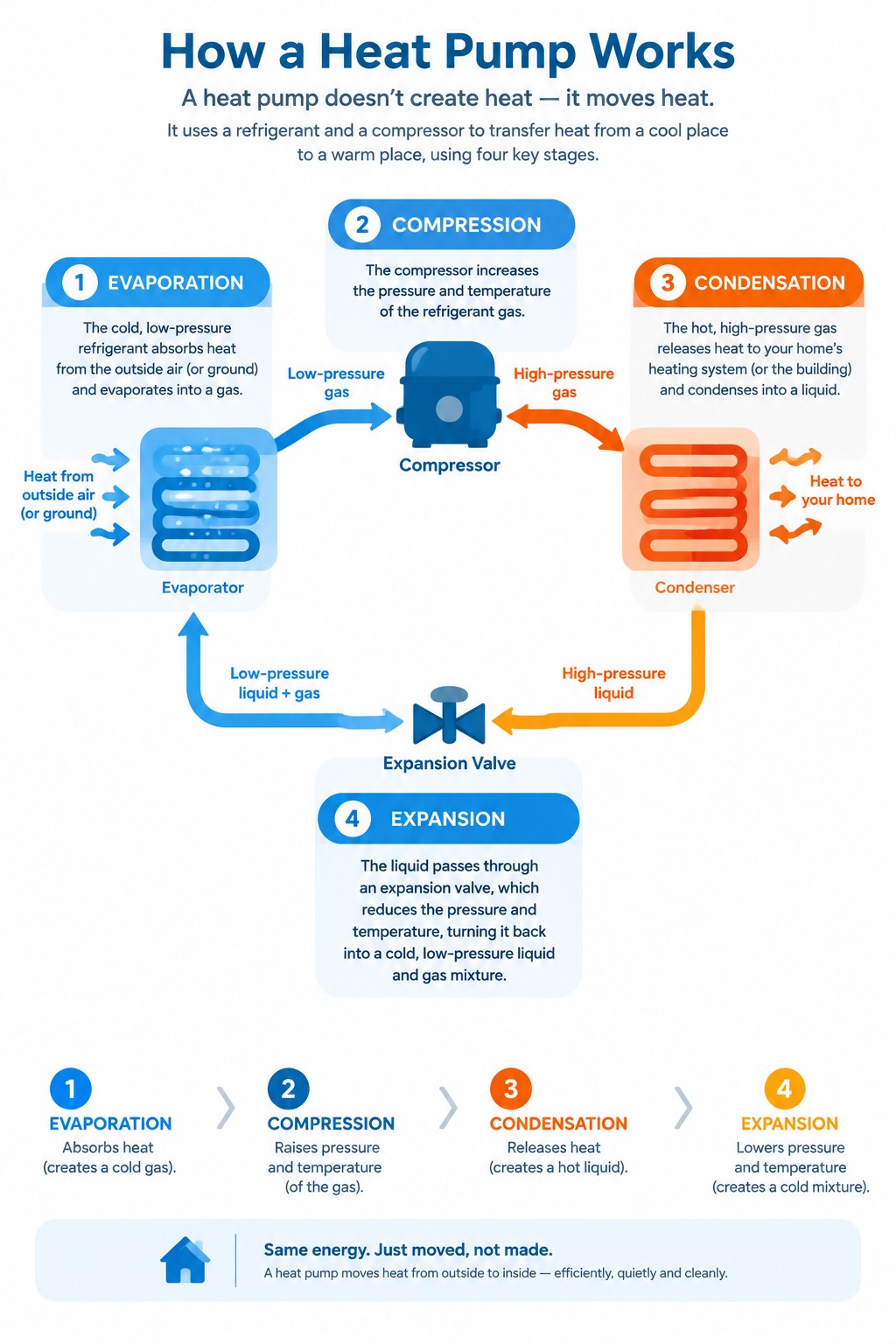
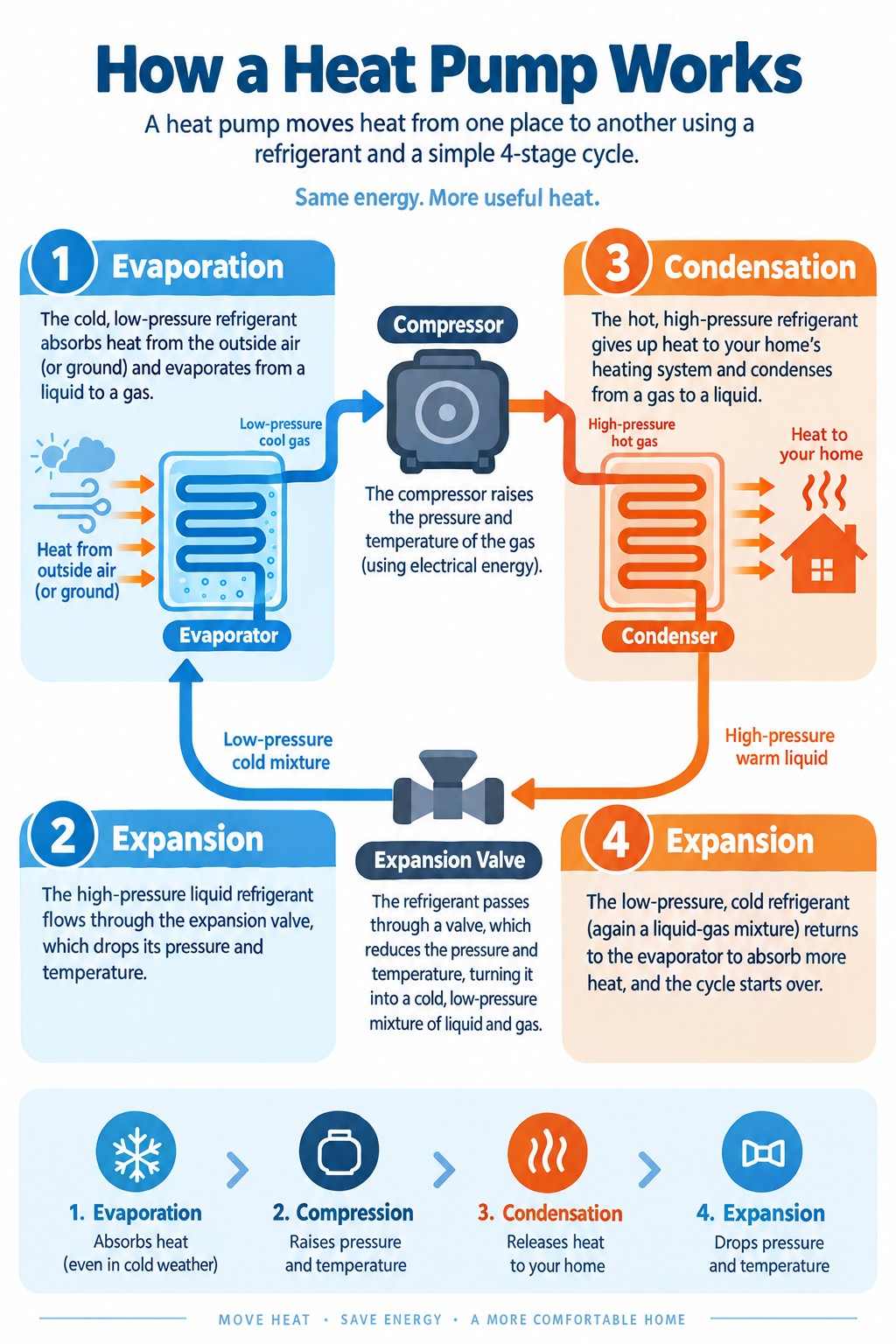
Prompt: “An infographic explaining how a heat pump works, showing the four stages: evaporation, compression, condensation, and expansion. Clean flat design, labeled arrows connecting each stage, cool blue and warm orange color palette, white background, suitable for a classroom handout.”
Images generated at 1024×1536 (portrait) resolution, September 9, 2026.




GPT Image 2.5 Flare:


GPT Image 2.5 Sunburst:
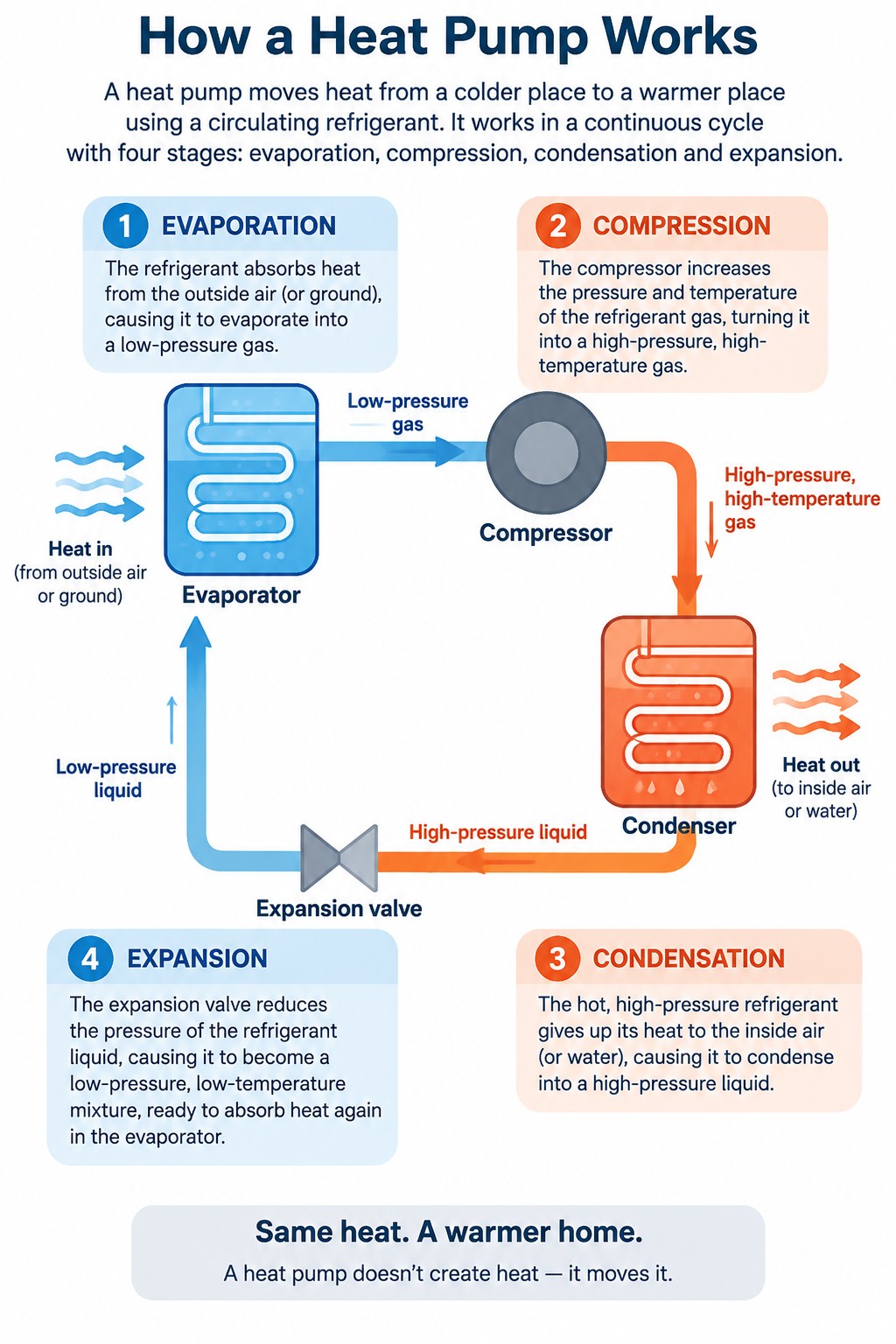


Observations. Nano Banana Pro and Grok Imagine Image 2 produced clean infographics with no major issues. Nano Banana 2 had mixed-up text sizes and one arrow pointing the wrong direction. Both MAI models rendered correct diagrams but with wobbly, blurry text. For GPT Image 2.5, a persistent issue across nearly all quality levels was patchy white discoloration behind text, where the background color appeared uneven. Flare at low quality had clear deformities and incorrect arrow directions, with blurriness at medium. High and xhigh improved but still showed visible flaws. Max was mostly clean apart from the patchy background. Sunburst had noticeable flaws at low, acceptable results at xhigh, and looked good at max, though the patchy background artifact persisted at every quality level for both Flare and Sunburst.
Prompt 3: Photorealistic People
Prompt: “A photorealistic candid photograph of two colleagues having coffee at an outdoor cafe table, natural daylight, shallow depth of field, shot on a 50mm lens, no heavy retouching, realistic skin textures and fabric details.”
Images generated at 1536×1024 (landscape) resolution, September 9, 2026.


GPT Image 2.5 Flare:




GPT Image 2.5 Sunburst:




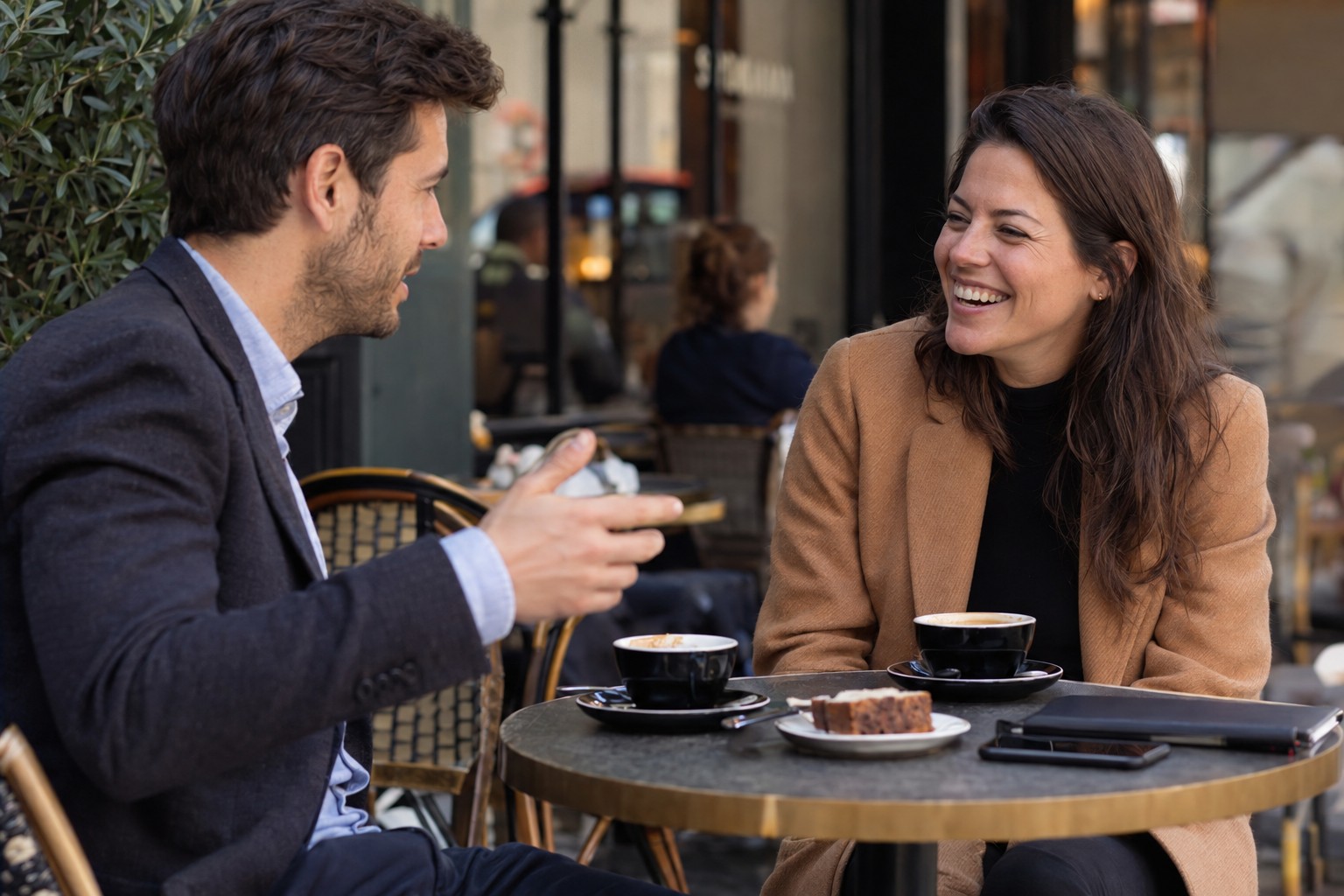
Observations. All competitor models produced acceptable photorealistic results. Grok Imagine Image 2 placed three cups on the table, though this is plausible. Among the GPT Image 2.5 models, Flare at medium had minor malformed details on the coffee cup, and at high exhibited clear hand and plate deformities. At xhigh and max, Flare introduced visible blurriness not present at lower quality levels. Sunburst performed better overall, but max still introduced some blurriness in parts of the image. For both Flare and Sunburst, medium or high quality appeared to be the sweet spot, with higher settings sometimes introducing unwanted softness rather than improving detail.
Frequently Asked Questions
When was GPT Image 2.5 released?
OpenAI released ChatGPT Images 2.5 on September 8, 2026. It is rolling out to all ChatGPT, ChatGPT Work, and Codex users across every tier on desktop, mobile, and web.
Is GPT Image 2.5 free to use?
In ChatGPT, image generation is included with all subscription tiers, including the free plan (subject to usage limits). In the API, both Flare and Sunburst charge by the token at $8.00 per 1M image input tokens and $30.00 per 1M image output tokens.
What is the difference between Flare and Sunburst?
Flare is optimized for speed and is the default choice for most applications. Sunburst is optimized for quality and tighter editing control but takes longer to generate. Both share the same pricing.
Does GPT Image 2.5 support transparent backgrounds?
Yes. Both Flare and Sunburst natively support transparent backgrounds. Set background=”transparent” in the API and use PNG or WebP as the output format.
What resolutions does GPT Image 2.5 support?
Any resolution where both edges are multiples of 16 pixels, each edge is at most 3,840 pixels, the aspect ratio does not exceed 3:1, and total pixels fall between 655,360 and 8,294,400. Common presets include 1024×1024, 1536×1024, 1024×1536, 2048×2048, and 3840×2160.
Is GPT Image 2.5 better than DALL-E 3?
Yes. DALL-E 3 is a separate, older model. GPT Image 2.5 represents a significant leap in quality, editing precision, speed, and flexibility. OpenAI has deprecated DALL-E 2 and scheduled DALL-E models for eventual retirement.
Can I use GPT Image 2.5 for commercial purposes?
Yes. Images generated through the API and ChatGPT can be used commercially. All outputs include C2PA metadata and invisible watermarking for provenance tracking.
Conclusion
GPT Image 2.5 marks a meaningful step forward for OpenAI’s image generation platform. The split into Flare and Sunburst gives developers a clear speed-versus-precision choice at identical pricing, while the new xhigh and quality tiers, native transparent backgrounds, and arbitrary resolution support push the API’s flexibility beyond any single competitor.
The consumer-facing additions, Sketch input, templates, image comments, and prompt sharing, lower the barrier for non-technical users who want to iterate on visual ideas inside ChatGPT without touching the API.
Independent benchmarks are still pending, and OpenAI’s speed and quality claims need third-party validation. But with three billion images already flowing through the platform each week, GPT Image 2.5 is positioned to become the default image generation backbone for a wide range of applications, from rapid prototyping to production-ready campaign creative. For a broader look at how AI model pricing has evolved, see our LLM API pricing comparison, and for the latest in image editing performance, our MAI Image 2.6 preview covers the model currently holding the number-one Arena editing score. Developers already on GPT Image 2 should test Flare first for a latency boost, then evaluate Sunburst only where its quality advantage justifies the longer generation time.

