
For most of the past three years, the answer to the question “Where does AI actually run?” has been somewhere else: a hyperscale data center packed with tens of thousands of GPUs, leased by the second to whoever can pay. In 2026, a growing number of technology enthusiasts are answering that question differently. They are running AI in their own basements, garages, attics, and wine cellars, on hardware they own outright.
The trend is no longer a fringe experiment. Shopify CEO Tobi Lütke posted three vertical server racks at home, wrapped in pink LED lighting and built around a Dell machine with a high-end Nvidia accelerator that its maker markets as an ‘ultimate desktop supercomputer,’ and the setup went viral when he shared it. Reporting on the phenomenon, first published in Chinese-language market media, described a former Microsoft engineer and serial startup founder who installed a custom six-GPU training machine in his home, partly to record and analyze his own brainwave data. Meanwhile, a corner of Discord and Reddit known as the homelab community has been steadily filling with people who run their own racks of compute.
The reasons vary, but they rhyme. Renting intelligence by the token is unpredictable, privacy matters to anyone working with sensitive data, and open-weight models have finally become good enough to be useful on hardware that fits under a desk.
Why the Local AI Server Boom Is Happening Now
The models got good enough
Open-weight models such as Qwen 3.8 can now handle 27-billion-parameter workloads on a single 32GB graphics card, which is why a creator in Austin who publishes under the channel name Digital Spaceport uses a locally hosted 27B model to help edit and analyze his own videos. Larger mixture-of-experts models, including gpt-oss-120b, run comfortably on the new generation of 128GB unified-memory machines.
The shift is part of a wider story about open weights, which we explored in our look at how China’s open-weight AI ecosystem compares with US subscription models. When a capable model can be downloaded and kept rather than rented by the minute, the case for owning the hardware gets stronger every quarter.
Aggressive quantization has helped just as much as raw hardware. Techniques that compress model weights to a fraction of their original size, an idea explored in our look at 1-bit language models, mean a capable assistant now fits into a memory budget that would have been laughable two years ago.
Cloud pricing became the trigger
For 0xSero, a Polish tech creator, the decision came at the end of 2024, when AI coding tool Cursor raised its prices. “At that moment I decided: I want to run AI locally,” he said, a sentiment repeated across the community. Monthly subscriptions and per-token API bills invite scrutiny when a single machine can serve the same requests indefinitely, and per-token pricing has proved volatile: DeepSeek’s 2026 price rise showed how quickly the economics of renting intelligence can shift.
Control and privacy
Some users frame the choice in almost political terms. “I genuinely love AI, and I want to keep the right to use it,” one enthusiast explained, arguing that a machine in your own home cannot be rate-limited, repriced, or switched off by a vendor. For privacy-sensitive work, keeping prompts and documents off someone else’s servers is the entire point.
Inside the Racks: What People Are Actually Building
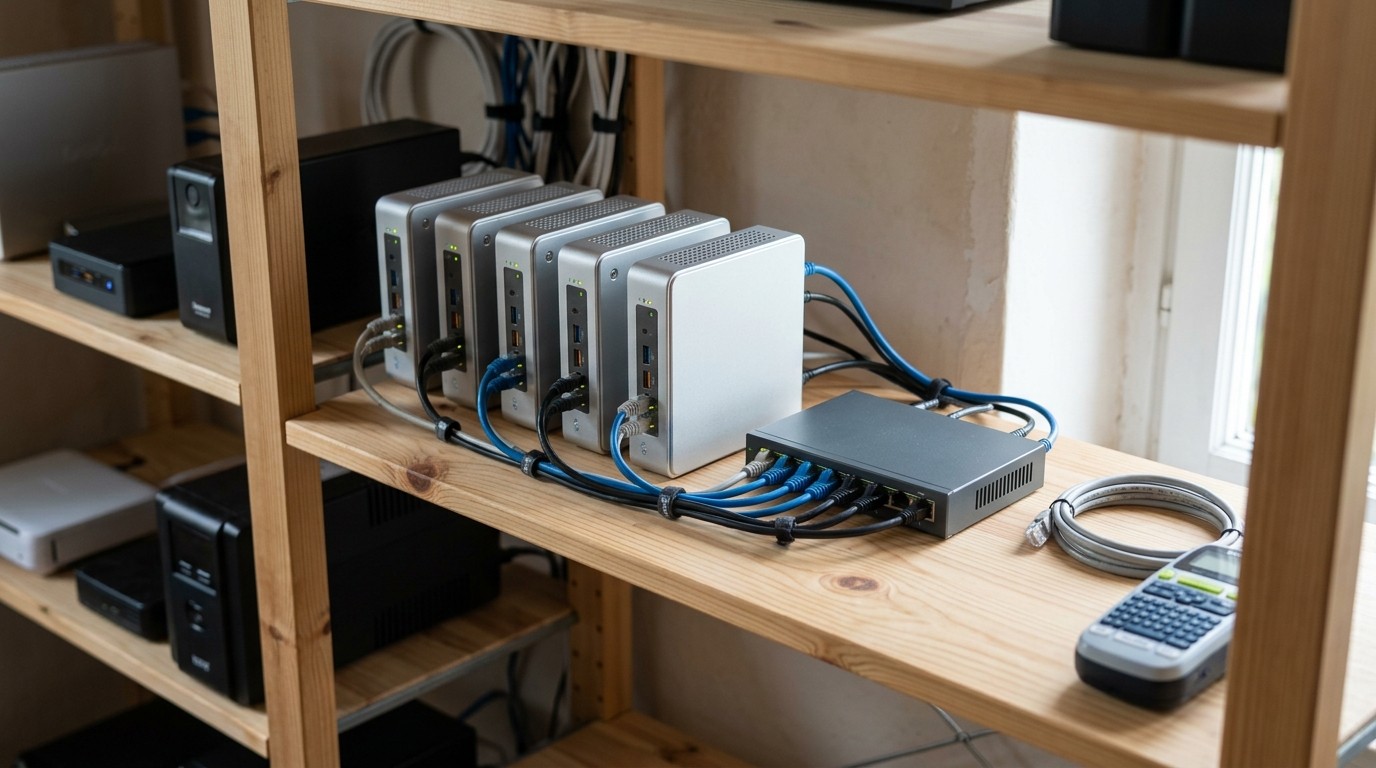
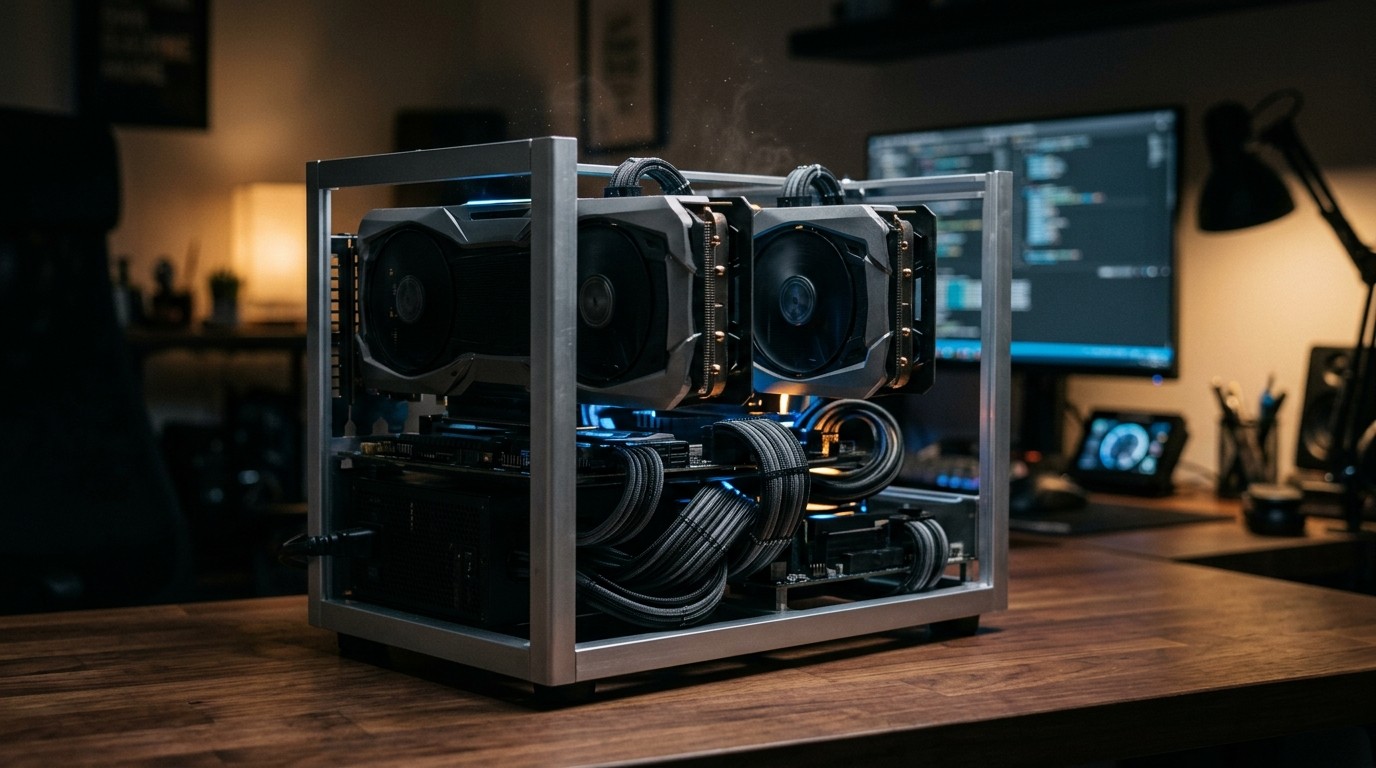
Three broad shapes have emerged. The first is the mini-PC cluster, built from Mac minis, Mac Studios, or budget AI mini PCs wired together on a shelf. The second is the unified-memory desktop, a single small machine with 128GB of shared memory. The third is the classic GPU tower or open-frame rack, the loudest and most powerful option, and the one most likely to end up in a basement.
The CEO of software company Crazy Egg now runs 18 devices at home, including 14 Mac minis and Mac Studios, to power the AI development work behind his website optimization tools. His complaint about the cloud will sound familiar to anyone who has watched a service wobble: “Whenever the cloud updates a model, the system is unstable for days, with frequent failures.”
The upgrade path is rarely tidy. 0xSero started with four high-end ASUS graphics cards in a home office, then discovered that the noise was punishing, the heat was extreme, and the air was so dry he believes it contributed to an illness. His racks now live in the attic. For context on how quickly this hardware class has matured, see our coverage of the personal mini AI supercomputers that made cloud computing look optional and the hardware ladder that replaced it.
The Hardware Ladder: What It Costs to Get In
As of September 2026, the entry points look like this. A used RTX 3090 remains the cheapest route to fast tokens from a 27B model. A new RTX 5090 is the fastest single consumer card, provided you can find one near its nominal price. The 128GB unified-memory boxes sit in the middle, and workstation-class accelerators sit at the top.
| Setup | Memory | Memory bandwidth | Price range (September 2026) | Power under load |
|---|---|---|---|---|
| Used RTX 3090 workstation | 24 GB GDDR6X | About 936 GB/s | $1,050 to $1,270 (card only) | 250 to 350 W |
| RTX 5090 workstation | 32 GB GDDR7 | About 1,792 GB/s | $1,999 MSRP, roughly $4,300 to $4,700 street | About 575 W |
| AMD Ryzen AI Max+ 395 mini-PC (Strix Halo) | 128 GB unified | About 256 GB/s | $3,449 to $3,999 | About 112 to 120 W |
| NVIDIA DGX Spark | 128 GB unified | About 273 GB/s | $4,699 | About 160 W |
| RTX PRO 6000 Blackwell workstation | 96 GB | About 1.8 TB/s | Roughly $16,000 | Up to 600 W |
Two biases shape this market. Memory bandwidth decides how fast a single conversation feels, while memory size decides whether a model fits at all. That is why enthusiasts keep gravitating to whatever offers the most memory per euro, even when the raw compute looks modest against a purpose-built card.
The two 128GB contenders deserve a closer look, because they trade blows. AMD’s Strix Halo machines are the cheaper, Windows-native route to a huge memory pool, while Nvidia’s DGX Spark costs more but processes prompts far faster and runs the mature CUDA software stack out of the box.
What It Actually Costs to Keep Running
Purchase price is only half the equation. A local AI server runs when you use it, and many of these machines stay on all day. Power draw is the recurring bill, and it varies enormously by design.
A machine drawing 300 watts continuously, seven days a week, consumes roughly 216 kilowatt-hours a month. At a typical US residential rate of about 15 cents per kilowatt-hour, that is around $32 a month in electricity alone, before cooling. A 575-watt build pushes past $60. The efficient 128GB mini-PCs are a different story: at roughly 115 to 160 watts, they land nearer $12 to $17 a month.
Then there is the invisible infrastructure. The former Microsoft engineer reportedly spent $10,000 to $20,000 on electrical modifications and a brand-new HVAC system, purely to keep a home training rig and its exhaust heat under control. That is the part nobody photographs for social media.
Heat, Noise, and the Hidden Physics of Home Inference
Every watt consumed becomes heat, and a rack of GPUs converts a spare room into a furnace. One enthusiast described his home office climbing to 85°F (about 29°C) as a matter of routine, to the point where he worked in shorts and admitted he probably needed to install an air conditioner. Another found the room’s air so dried out that he suspected it was making him unwell.
Noise is the second problem. Workstation fans and pump hum are continuous and pitched differently from a laptop, which matters when the machine shares a wall with a bedroom. Even Tobi Lütke acknowledged having to engineer his way around the heat thrown off by his racks.
This is exactly why basements and wine cellars keep appearing in these setups. They are the coolest, most acoustically isolated and least-visited rooms in a house. A wine cellar simply has the good fortune to already be built underground, already ventilated, and already on nobody’s list of places to sit.
Five warning signs your space is not ready
- The room has no ventilation. A closed cupboard or a carpeted spare bedroom will trap heat and slowly cook the hardware.
- The circuit is shared. A 575-watt machine on the same breaker as a space heater will trip it at the worst moment.
- You can hear it from a bedroom. Continuous fan and pump noise is the most common reason these builds get moved.
- Dust and pets are nearby. Filters, cleaning, and airflow planning are part of ownership, not optional extras.
- Nobody checks on it. Unattended machines benefit from temperature alerts, remote access, and a smart plug.
The Second-Hand Silicon Pipeline
Not every build is new. The used RTX 3090 has become the default recommendation for hobbyists because it delivers strong memory bandwidth at a fraction of current street prices. Ex-data-centre accelerators and decommissioned pro cards flow into the same market, and as AI hardware generations turn over faster, that secondary supply keeps growing.
This has a sustainability upside and a sustainability question attached. Reusing working silicon delays the day it becomes electronic waste, but high-mileage GPUs also carry real failure risk, and the energy they consume is not free of emissions. The circular economy logic that applies to repurposed electric vehicle batteries applies here too, and the recycling industry is already bracing for the broader wave of hardware churn that AI is generating.

Beyond the Basement: What a Million Home AI Servers Would Mean
Individually, a home AI server is a hobby. Collectively, the numbers start to matter. Millions of always-on inference machines would form a distributed, deferrable, and throttleable load, exactly the kind of flexibility that grid operators value for demand response. Inference is unusually well suited to it: many jobs can wait an hour for the sun to come up.
The same logic cuts the other way, and the industry is already wrestling with it. Efficiency gains in AI hardware have consistently been outpaced by growth in total demand, a dynamic we examined in our reporting on making AI data centers more sustainable. Home servers simply move a slice of that demand from a professionally managed facility into a spare room with a domestic electricity tariff.
Hardware vendors have noticed. Nvidia has said publicly that the home AI enthusiast market is expanding fast, and Mac mini and Mac Studio sales have risen sharply among developers. When a chipmaker starts describing hobbyists as a growth market, the hobby has stopped being a hobby.
For grid planners, the interesting property of home AI compute is not the total power involved but how flexible that power is:
- Inference is deferrable. Most household jobs can wait for cheaper or greener hours of the day.
- Loads are throttleable. Software can slow a request down rather than drop it entirely.
- Demand is geographically spread. Unlike a single hyperscale campus, a million home servers do not concentrate strain on one substation.
- Capacity arrives without planning permission. Nobody has to build a new data center for a rack in a basement.
Should You Build a Local AI Server?
Is a local AI server worth it?
It depends on what you need from it. Local makes sense if you want privacy, if you run steady daily workloads rather than occasional experiments, if you resent subscription pricing, or if you simply want to own the capability. It makes less sense if you need frontier-model reasoning, if you train models from scratch, or if you only open an AI chat a few times a week.
How much memory do you actually need?
- 8GB to 16GB: small 3B to 8B models, fine for background tasks, summarizing, and light chat.
- 24GB: the used RTX 3090 tier, comfortable with quantized 27B to 32B models.
- 32GB: an RTX 5090 holds a 30B class model with room for long context.
- 96GB to 128GB unified: the territory of mixture-of-experts models such as gpt-oss-120b, on the Strix Halo machines and the DGX Spark.
What can you actually run, and how fast?
At Q4 quantization, the common rule of thumb is roughly 0.6 GB of memory per billion parameters, plus headroom for context.
| What you want to run | Memory needed (Q4) | Realistic hardware | Typical generation speed |
|---|---|---|---|
| 7B to 8B models | About 5 to 6 GB | 8GB to 12GB GPU, or 16GB Apple Silicon | 45 to 55 tokens per second on a 128GB mini-PC, up to about 200 on an RTX 5090 |
| 13B to 14B models | About 9 to 10 GB | 12GB card such as an RTX 3060 | About 35 tokens per second |
| 30B to 32B models | About 18 to 24 GB | Used RTX 3090, RTX 4090 or RTX 5090 | About 40 to 75 tokens per second |
| About 120B mixture-of-experts | About 60 to 70 GB | 128GB unified-memory mini-PCs | 31 to 34 tokens per second on Strix Halo, up to about 60 on a DGX Spark |
| 70B dense models | About 38 to 56 GB | 48GB or more: two 24GB cards, or a professional accelerator | About 5 tokens per second on 128GB mini-PCs |
Figures are drawn from published vendor and community benchmarks from September 2026. Past 70B, the quietest option is a Mac Studio with 256GB or 512GB of unified memory.
What software do you need?
Far less than most people expect. Ollama and LM Studio will download and serve a model with a couple of commands, while more advanced users reach for vLLM or llama.cpp to squeeze out throughput. The software layer, not the hardware, is where the biggest usability gains have landed in the past two years.
Where should you put it?
Anywhere that is cool, ventilated, and far enough from living space that you cannot hear it. A cellar, a garage, a utility room, or an attic will all work. Just make sure the electrical circuit, the cooling, and the noise are somebody else’s problem, because they will quickly become yours.
Signs a local AI server is right for you
- You use AI every day, not once a week, so the machine earns its keep.
- You handle sensitive material such as client documents, medical notes, or unpublished writing that should never leave your network.
- You want one machine to serve several tools, from a coding assistant to a document search engine to a private chatbot for the whole household.
- You are comfortable with occasional maintenance, from driver updates to dusting filters and checking temperatures.
- You have suitable space, meaning a cool, ventilated room and an electrical circuit that can carry a few hundred watts continuously.
If none of that describes you, a cloud subscription is almost certainly the better deal.
Local or cloud? A quick decision guide
| Your situation | Best fit | Why |
|---|---|---|
| Occasional questions and quick research | Cloud subscription | No upfront cost, and you always get the newest models |
| Daily, heavy use of one or two models | Local server | Fixed cost, and no per-token anxiety |
| Documents that cannot leave your network | Local server | Data never leaves the building |
| Frontier reasoning on the hardest problems | Cloud subscription | Home hardware still cannot match the largest models |
| Training or fine-tuning from scratch | Rented compute | Training demands far more memory and bandwidth than inference |
Frequently Asked Questions
Is running AI locally cheaper than cloud subscriptions?
For heavy, steady use, usually yes. A $1,200 used-GPU build that draws 300 watts costs roughly $32 a month in electricity, which undercuts most professional AI subscription stacks. For light or occasional use, cloud services remain cheaper because you only pay for what you consume.
Why do people put AI servers in wine cellars and basements?
Because that is where the heat, noise, and cables are least disruptive. Underground rooms are naturally cooler, more isolated, and rarely used, which makes them close to ideal for a machine that runs hot and hums continuously.
Can you run AI without a GPU?
Yes, but slowly. A CPU-only machine with 16GB of RAM can run a small quantized model at a few tokens per second. It is workable for background automation and genuinely frustrating for conversation.
The Bottom Line
The home AI server is not a replacement for the data center, and it is not trying to be. It is what happens when capable models, affordable memory, and rising cloud bills arrive at the same moment and meet a community that enjoys building things. For a few thousand dollars and a spare room, anyone can now own a slice of the AI boom outright, along with the heat, the noise, and the electricity bill that come with it.
That trade-off, more than any benchmark, is what the wine cellar trend is really about: not escaping technology, but taking responsibility for it, cabinet by cabinet, in the coolest room in the house.


