
VRAM demands now exceed standard consumer availability, forcing a fundamental shift in local AI hardware strategies. AI enthusiasts now prioritize local AI inference to run massive models on private machines without network dependency, making memory capacity the primary bottleneck. Investor-facing claims surrounding a 96GB RDNA 5 GPU architecture serve less as a product roadmap and more as a strong market signal for accessible AI supercomputer hardware.
Segmenting this hardware problem through a deep market analysis of high-capacity VRAM needs reveals why local builders require extreme capacity. Practical outcomes like fewer memory workarounds and expanded context windows drive teams toward 96GB solutions. Private workflows feel instantaneous when local LLM hardware evolution empowers users to own their compute stack.
Hardware constraints are dissolving as workstation GPUs and unified memory desktops place hundreds of gigabytes within reach, turning a standard office into a personal lab. Commercial hardware now maps to specific AI inference goals across these memory tiers, ensuring local supercomputers handle the heaviest weights.
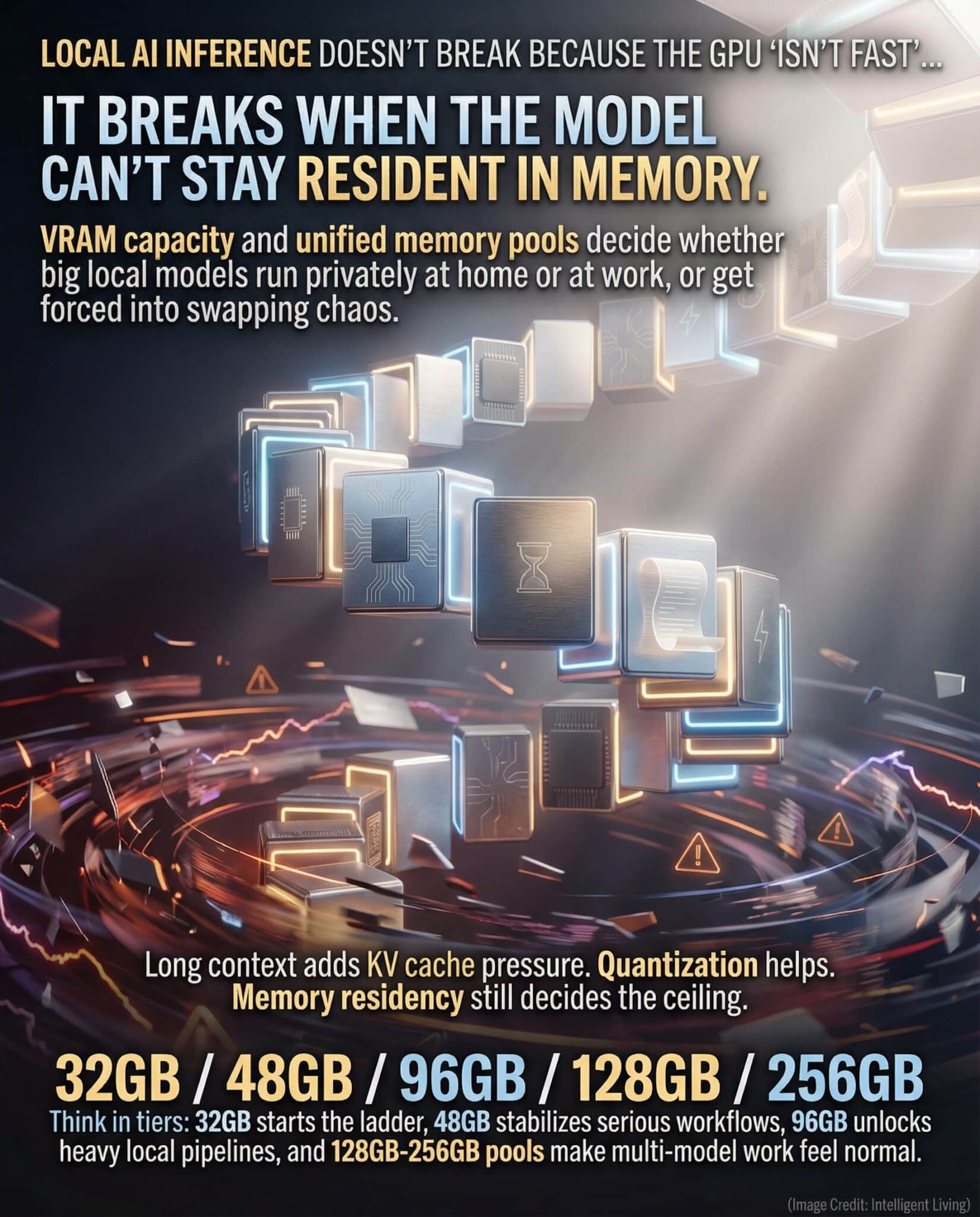
Breaking the Memory Barrier for Local AI Inference
VRAM Residency: The Core Hardware Requirement for Local LLMs
- Model Residency Drives Speed: Storing an entire model in local memory eliminates slow swaps. This is critical for creative tasks where a two-second pause disrupts momentum.
- Long Context Consumes KV Cache: As context expands, key-value cache usage can outpace the base model size. This optimizing of KV cache for long contexts remains a central engineering challenge.
- Two Hardware Lanes for Different Needs: Modern Windows features require NPUs (Neural Processing Units) with 40+ TOPS (Tera Operations Per Second), meeting the NPU hardware specifications for Copilot+ features. This path is for on-device efficiency, while VRAM-heavy systems are designed for large-scale local models.
- Tiered memory bands determine model support: 32GB hosts quantized models, while 256GB pools enable seamless multi-model workflows.
These memory bands function as a performance ladder where each rung dictates residency, swap frequency, and whether a local AI system operates as a seamless tool or a constant negotiation.
How VRAM and Unified Memory PCs Power Local Models
Inference speed relies on balancing three distinct memory consumers to maintain residency:
- Model Weights: Size depends on parameter count and precision levels.
- KV Cache: Capacity determines the length of accessible context.
- Working Space: Temporary space for tensors and activations during calculation.
Balancing these elements ensures the system remains responsive during complex reasoning tasks. Exploring how the KV cache scales with token count explains why long prompts feel significantly heavier during local inference. Total usage must fit in accessible memory to avoid performance-killing swapping.
Quantization as a Deployment Lever
Precision affects the footprint. Lower-bit quantization reduces memory requirements but does not eliminate the need for capacity as context grows. High-precision models with massive context windows require significant resident memory regardless of quantization.
Weight shrinking with 4-bit formats offers immediate space savings. However, doubling context length often causes the KV cache to dominate remaining memory, resulting in performance stalls or crashes. For video world models, the same tradeoff is visible in LTX-2.5’s quantization tiers that scale from 16 GB to 80 GB, where FP8 and NVFP4 let a 22B diffusion transformer run locally without full BF16 residency. The same dynamic applies to audio models: our review of MiniMax Music 3 shows how 8-bit and 4-bit quantized builds and community ports via ComfyUI and MLX lower VRAM requirements and extend support to AMD and Apple Silicon.

The Memory Ladder List: What is Actually Shipping Right Now
Current product tiers map directly to specific inference capabilities and practical workflows, such as enabling advanced machine learning tasks or supporting high-resolution video processing.
32GB Prosumer Baseline
Current high-end consumer GPUs in the prosumer bracket have made 32GB a realistic shelf-level ceiling. NVIDIA lists the RTX 5090 32GB GDDR7 memory specs with 32GB of GDDR7 (Graphics Double Data Rate 7) memory and headline bandwidth figures that help explain why this tier is attractive for local models.
This tier fits the stage where experimentation is constant: a local assistant for daily work, a compact model for document processing, or a tuned setup that can run without a cloud meter ticking in the background. It is also where cache behavior becomes visible, and NVIDIA’s architecture document notes that the RTX 5090 includes 96MB of L2 cache, a detail that matters because cache helps reduce expensive memory traffic.
In many home builds, small gains come from better toolchains and tighter kernels, and automated CUDA kernel tuning shows why software can stretch the value of a fixed VRAM tier without turning the workflow into guesswork.
48GB and the Serious Local Work Tier
Workstation-targeted products frequently land in the 48GB class, and that tier is popular because it reduces the number of compromises without jumping straight to ultra-premium hardware. AMD positions the Radeon PRO W7900 around the 48GB GDDR6 VRAM specification listed in its workstation documentation, which is a practical anchor point for teams doing heavier local inference and model-adjacent creative work.
This tier tends to show up in studios and small labs that want stable local throughput. It is the kind of machine someone quietly relies on for weeks, then notices only when it is missing.
96GB Reality Tier
A 96GB memory tier exists today in workstation parts, and it demonstrates that the capacity people ask for is already real, just not in typical consumer pricing bands. NVIDIA’s RTX PRO 6000 96GB ECC specs boast 96GB of GDDR7 with ECC (Error-Correcting Code) along with bandwidth and interface details.
Why 96GB matters: it allows larger model residency, longer effective contexts, and fewer compromises when multiple local processes share a machine. It is also the tier where local AI starts to feel less like a demo and more like an everyday tool.
128GB and 256GB Memory Pools
Unified memory platforms and high-capacity desktops are the bridge between GPU VRAM limits and broader system memory ceilings. AMD’s Ryzen AI Max announcement describes systems featuring up to 128GB of unified memory, with a carve-out that can allocate a large portion to graphics.
On the desktop side, Apple’s pro machines also normalize large pooled memory, and the Mac Studio unified memory ceiling illustrates why unified memory has become part of the local inference conversation. When memory pools reach this range, the question often shifts from whether a model fits to whether the workflow can remain smooth while juggling multiple tools. Above that tier, a new class of deskside systems pushes past 700GB entirely: our breakdown of the NVIDIA DGX Station covers a machine with up to 748GB of coherent memory and a trillion-parameter model ceiling.

Scaling AI Supercomputer Hardware: From Desks to Clusters
What Makes a Desk Node Feel Like a Server
Server-grade performance now fits within desk-sized nodes without requiring dedicated racks. NVIDIA utilizes 128GB unified system memory as a foundational design choice for desk nodes. For independent 2026 benchmarks, street pricing, and how much model you can fit in 128GB with NVFP4, see our hands-on guide to the NVIDIA DGX Spark 128GB mini supercomputer.
Professional labs require three core hardware pillars: resident memory, stable thermals, and coherent software stacks:
- Resident Memory Pool: Ensuring the entire model fits within high-speed VRAM.
- Stable Thermals: Maintaining predictable performance during heavy compute loads.
- Coherent Software Stack: Streamlining routine deployment for consistent results.
Meeting these standards allows a desk-sized node to replace entire server racks for specific workflows.
When One Box Beats a Cluster
Research groups often treat these systems as a backbone for running local retrieval and vision pipelines without external dependencies.
Deploying a DGX Spark mini AI supercomputer clarifies how privacy is maintained at high throughput. When choosing between single-box and distributed systems, the performance differences between Spark and Strix Halo help frame the optimal fit for specific use cases, such as data processing speed, scalability, and resource management in AI workloads.
The Quiet Enabler: Desktop RAM Jumps and 256GB Workstations
Why System RAM Still Matters
System RAM still matters because local AI workflows rarely consist of a single model running in isolation. There are embeddings, datasets, caches, tools, and often multiple applications sharing memory.
Dense DDR5 modules are expanding what desktops can host. ADATA’s announcement of 128GB DDR5 CUDIMM modules points toward 256GB-class workstations that do not require server platforms.
Storage Keeps Local Inference Stable
When a model does not fit cleanly, fast local storage and scratch space prevent brutal stalls, and an NVMe upgrade for faster random reads highlights that storage tuning is part of local inference reliability, not just a side quest.
This shift is easiest to understand as a workflow unlock rather than a spec flex. A workstation with ample RAM (random access memory) can stage large corpora for retrieval-augmented generation, keep video or sensor logs resident, and avoid the death-by-a-thousand-swaps feeling that frustrates teams trying to stay local. Scaling up with workstation memory builds of 256GB makes this capacity jump concrete.
From Factory Floors to Home Offices: Edge AI Is Getting Memory-Rich Too
Robotics and industrial automation platforms now demand massive local capacity for real-time perception. Integrated Jetson Thor modules with 128GB of memory signal that memory-rich inference is moving into embedded systems.
In industrial settings, milliseconds matter for safety. Implementing autonomous industrial AI systems shows why local inference is a professional requirement, not just a hobby.

Selecting Hardware for Optimized Local AI Inference
Reality Check: When Local AI Beats the Cloud (and When It Doesn’t)
Professional teams choose local inference over cloud solutions for several operational advantages:
- Enhanced Privacy: Keeping sensitive data on-site and off public networks.
- Low Latency: Eliminating the round trips typical of centralized APIs.
- Predictable Costs: Removing recurring subscription fees for sustained compute.
Local hardware deployment grants total control over the data lifecycle, bypassing the latency of centralized APIs.
Cloud remains superior for brief compute spikes or when access to the latest datacenter accelerators is mandatory. Most teams adopt a hybrid model: local for daily tasks and cloud for peak demands.
The Energy Math Depends on Utilization
Grid intensity and hardware efficiency variables complicate the sustainability math of local versus cloud compute. Local systems often prove more efficient when supported by clean grids and optimized cooling. Analyzing emissions data for local versus cloud AI highlights why simple generalizations fail in these complex calculations. Data centers face significant electricity and water consumption limits in AI infrastructure, grounding the conversation in reality.
In cloud settings, carbon-aware GreenOps practices allow teams to manage cost and carbon as shared metrics.
A Buying Checklist That Starts With Memory, Not Marketing
- Pick a Model and Context Target First: Decide what you want to run and how long the context needs to be. That choice sets the memory floor. Leveraging open-weight local models allows you to size hardware specifically around your chosen workload.
- Choose the Tier That Prevents Workarounds: Hardware that only minimally accommodates a model often suffers from instability compared to slightly smaller models that remain fully resident.
- Match the Hardware Lane to the Job: NPUs are excellent for efficient on-device features, while GPUs and unified-memory systems are better for larger models and heavy local inference. Workstation buyers who want predictable local inference often look at cards marketed for that use, such as the Radeon AI PRO R9700 workstation AI GPU, especially when multi-GPU scaling is part of the plan.
- Treat Reliability as a Feature: ECC memory, cooling headroom, and power stability matter when a system is expected to run all day.
- Buy for Service Life: Repairability, upgrade paths, and reuse plans reduce both cost surprises and unnecessary churn.
Identify the model size and context length first, then determine where that memory will be hosted.

What to Watch Next: The Next Two Years of Memory-Dense AI PCs
Three Signals Shaping Memory-Dense AI PCs
The next wave will likely be shaped by three forces.
- Memory capacity will keep rising in consumer-adjacent form factors.
- Unified memory platforms will continue to blur the line between VRAM and system RAM.
- Software will keep squeezing more effective context and throughput from the same hardware through better caching, quantization, and runtimes.
The cultural shift may end up mattering as much as the silicon. As more work becomes local, individuals and small teams gain more autonomy over privacy, latency, and budget.
Open Weights and Local Reasoning Push Demand Downstream
The open-weight push toward local reasoning models also changes hardware planning, and local reasoning breakthroughs in DeepSeek V3.2 illustrate how capability can move closer to the user when memory and runtime efficiency line up with the workload.
In more competitive markets, expansion of the open-weight AI ecosystem in China further drives the need for high-capacity local memory tiers. This illustrates how downloadable weights can accumulate through tooling, derivatives, and real deployment feedback, ultimately increasing demand for local memory tiers.
The limiting question becomes less about whether it is possible and more about whether the hardware is sized responsibly.
Distributed Nodes Change Who Gets to Build
The question is no longer “is it possible?” but “is the hardware sized responsibly?” The long arc also includes the data center world. Exascale and hyperscale systems still matter, but distributed compute nodes beyond exascale supercomputers show how smaller nodes can change who gets to experiment and where inference can happen when power and cooling are finite.
Building Your Local AI Inference Roadmap
Rungs on the hardware ladder represent memory milestones that dictate which local models remain resident. Choosing the correct hardware rung enables larger model hosting and minimizes daily workflow friction. Precision planning begins with identifying the specific model size and context length required for projects. Pick a memory tier that keeps workloads resident rather than relying on slow system swaps. Well-chosen platforms provide the reliability needed for all-day generation without the overhead of cloud subscriptions.
This memory-first approach transforms the 96GB VRAM debate into a practical roadmap for fast, private AI. Success with offline AI tutor deployments on legacy hardware proves that even modest memory choices transform workflows. Prioritizing capacity over marketing buzz secures a personal AI lab that grows with the ecosystem.

Local AI Inference Hardware: Common Questions
What does VRAM do for local AI inference?
VRAM holds model weights, accelerator buffers, and often parts of the runtime cache. When enough VRAM exists, models can remain resident, and inference runs without slow swapping.
Is 32GB VRAM enough for local LLMs?
It can be enough for many compact or quantized models and for experimentation. Larger models or longer contexts typically benefit from 48GB, 96GB, or large unified memory pools.
Why does longer context use more memory?
Longer context increases the KV cache, which stores past token representations so the model can refer back to them without recomputing everything.
What is KV cache, and why does it matter?
The KV cache stores keys and values generated during autoregressive decoding. It grows as token history grows, which is why long context can hit memory limits quickly.
NPU versus GPU, which should be prioritized?
NPUs are strong for efficient on-device features and low-power inference. GPUs and unified-memory systems are better for hosting larger models and longer contexts, and workstation AI GPU families built for local inference highlight how vendors are targeting that demand with more VRAM and multi-GPU options.
Is unified memory the same as VRAM?
Unified memory is a system architecture that pools or coheres memory between CPU and accelerator components. It can behave like VRAM for large workloads, but performance depends on bandwidth and how the platform allocates memory.
What is the best hardware tier for a home office versus a small team?
Home offices often start at 32GB and move to 48GB when work becomes heavier. Small teams doing deeper local inference often consider 96GB workstation-tier parts or 128GB-class unified memory nodes.
When is local AI greener than cloud AI?
Local AI can be greener for sustained workloads on efficient hardware in clean-grid regions, especially when devices are used for long service life. For sporadic heavy bursts, shared cloud infrastructure can be more efficient.


