
Visitors form an impression of a website before they read a single line of text. Navigation, content, loading speed, and consistent visual design all shape how quickly someone works out what a business offers and whether it is worth staying to find out more.
Custom web design and development treats those elements as one system rather than a set of separate fixes so that the layout, the code underneath it and the words on the page all point in the same direction.
What follows is not a list of trends but a practical sequence: what visitors notice first, the questions those impressions answer, and the habits of design and development that keep a site credible once the novelty wears off.
Visual Clarity and Website Design
The first impression a visitor gets from a website is its layout. A cluttered page, clashing colours or an oversized banner can bury the main point, and once a visitor has to hunt for the reason they landed there, the visit is usually over. Visual hierarchy, the deliberate ordering of what the eye should see first, second and third, is what prevents that.
In practice, hierarchy is built from a small number of decisions. One message dominates the top of the page, supporting detail sits beneath it, and everything else recedes. Contrast, scale and white space do most of the work, and colour is usually the last tool a designer should reach for, not the first.
Typography matters just as much. Adequate contrast, sensible line spacing and a clear distinction between headings and body copy make a page scannable rather than readable only in full. Most people do not read a page from top to bottom on arrival; they scan for the section that answers their question. Images should carry information, whether that is a product, a place, a team or a process, rather than fill space between blocks of text.
Navigation is the functional half of the same job. A visitor should never have to guess where a link goes. Menus work best when they are short, labelled in the words customers actually use, and ordered by importance rather than by the company’s internal structure. Contact details should be visible without scrolling to the footer. Every additional menu level also adds a page that has to stay current, so a shorter menu is easier to maintain as an offer grows. Clear navigation matters most on a phone, where a mislabelled menu item costs the visitor two taps and their patience.
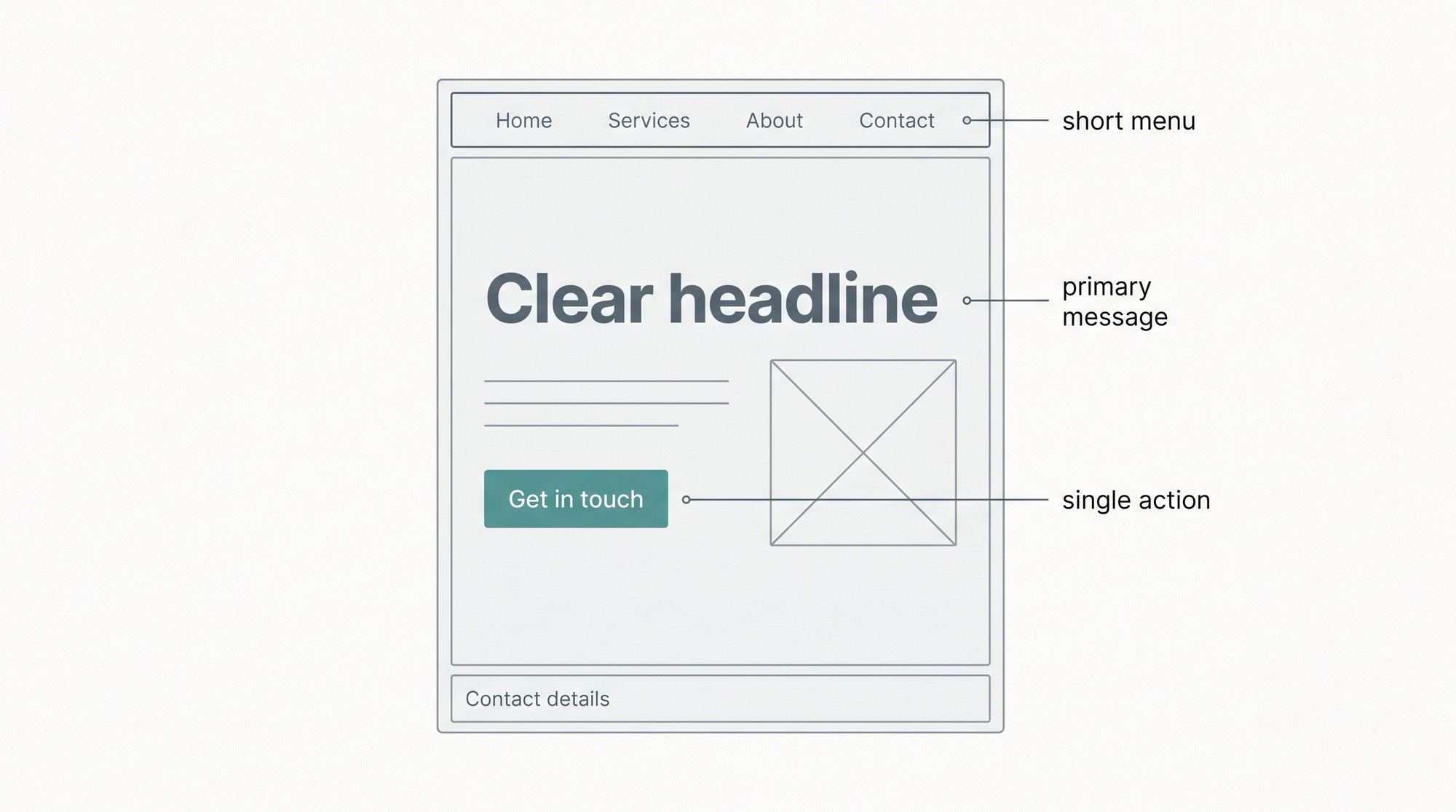
Elements That Influence the Initial Perception of a Visitor
Design decisions get easier when they start from the visitor’s questions rather than the business’s preferences. Four of those questions tend to shape the first few seconds of a visit.
- Mobile optimisation: Is the site comfortable on a phone, with readable text and buttons that can be tapped without zooming?
- The landing page: Can someone understand what the business does, and who it does it for, without scrolling?
- Navigation: Is it obvious where products, services and contact information live?
- Trust elements: Are contact details, physical location, reviews and credentials visible where a cautious visitor will look for them?
Each question points to a test that can be run before any design work begins, and each is cheaper to answer before a build than after launch. Loading the site on a mid-range phone over a mobile connection, then handing it to someone unfamiliar with the business, usually shows up the points where people hesitate. Hesitation is the most revealing design feedback available, and it costs nothing to collect.
The answers also tend to conflict, which is where trade-offs appear. A dramatic full-width image may give a homepage impact and still push the headline below the fold on a phone. A detailed service menu may help existing customers and overwhelm first-time visitors. Deciding which visitor to prioritise is a strategic question, not a visual one, and a professional design team should be able to name that priority before a single mock-up is produced.
Consistency, Trust and User Experience
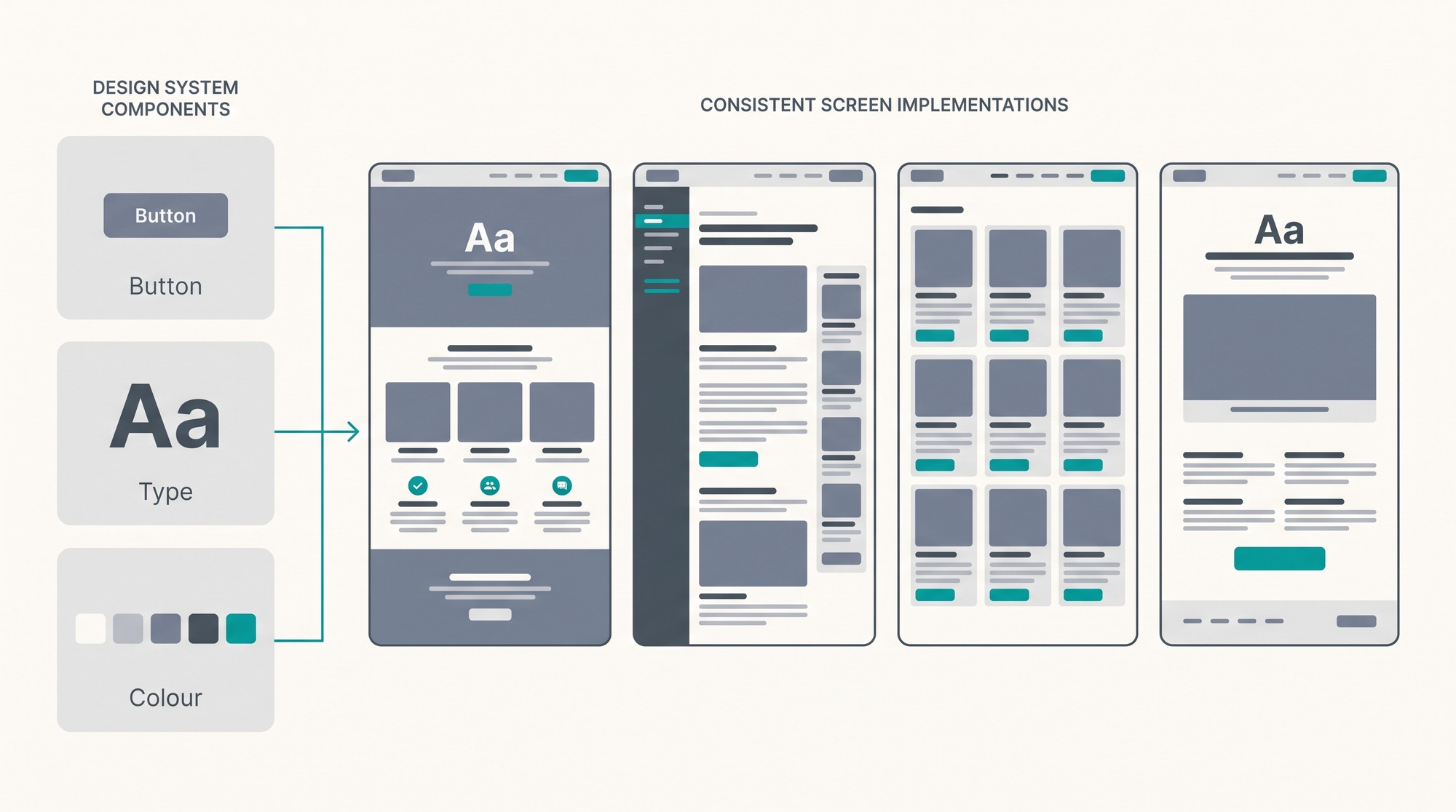
When colours, fonts, spacing and button styles form a single visual language, visitors stop noticing the interface and start paying attention to the content. Consistency also extends beyond the website. A business that describes the same service differently on its homepage, its service pages and its enquiry form creates doubt at exactly the moment a visitor is deciding whether to make contact.
Three aspects reward particular attention.
- Readability: Short paragraphs, informative headings, and plain language help people find the answer they came for without reading everything above it.
- Reliability: Pages that load quickly, forms that submit first time and links that resolve to something useful prevent the small frustrations that erode confidence.
- Accessibility: Keyboard navigation, strong contrast and descriptive alternative text bring the site within reach of more visitors, including people using screen readers or navigating without a mouse.
Speed deserves its own mention because it is judged before anything else on the page is read. Jakob Nielsen’s timing research at the Nielsen Norman Group puts the threshold at roughly one second for a new page to appear before users feel they are being held up, and notes that people typically give a page no more than about ten seconds before deciding to leave. That leaves almost no room for the heavy scripts, uncompressed images and third-party widgets that accumulate on a site one approval at a time and are rarely reviewed together. Auditing what a page actually loads, then removing or deferring whatever does not serve the visitor, is usually the cheapest performance work available.
Accessibility is often treated as a compliance task, but it is a useful design constraint in its own right. If a page works with a keyboard, with high contrast and with images described in words, it will also work on a train, in glare and on a device several years old. Designing for the edges tends to improve the experience in the middle. It is also the area where testing beats opinion, because a contrast check or a keyboard run-through produces a clear answer rather than a preference, and sound website design practice treats those checks as part of the build rather than a final audit, with alt text written when images are added.
The audience’s expectations, and the devices it actually uses, are the part of a brief most often taken on assumption. A business serving customers who arrive from a search result on a phone needs a different balance of information and imagery from one whose visitors are comparing options on a desktop. As an example, Shtudio, a web design company in Australia, publishes the shape of its design service on its website alongside its portfolio. Detailed service pages close the gap between what a business claims on the homepage and what it actually does.
This is where custom web design and development goes beyond what a template can offer. Design, performance and structure have to reinforce each other, so the visitor understands the proposition and takes the next step without effort. A template can be made to look right, but it rarely rearranges its own structure when the content changes shape, and it seldom comes with the performance work that slower connections demand. Rebuilding a template’s structure later usually costs more than specifying the structure once, at the start.
Custom development also settles questions of ownership and maintenance. A site built on a defined design system, with a small number of reusable components, tends to be cheaper to extend later than one assembled from one-off pages. Before any work is commissioned, it is worth establishing what happens to the design files, how content is edited after launch, and which party is responsible for updates and security. Those answers say more about a long-term outcome than a portfolio of screenshots.
Complicated designs are not what capture attention. A website that answers visitors’ questions, with a design that makes the answers easy to trust, does the job more reliably than novelty. Getting there is usually a matter of removing obstacles rather than adding features: a clearer headline, a shorter menu, a faster page, and a shorter form. Each of those changes is small, and together they decide whether a first impression lasts long enough to become a second visit.

